Want to turn this into production assets?
Open Vibart to generate images or videos, then finish brand text, crops, and export-ready layouts on the canvas.
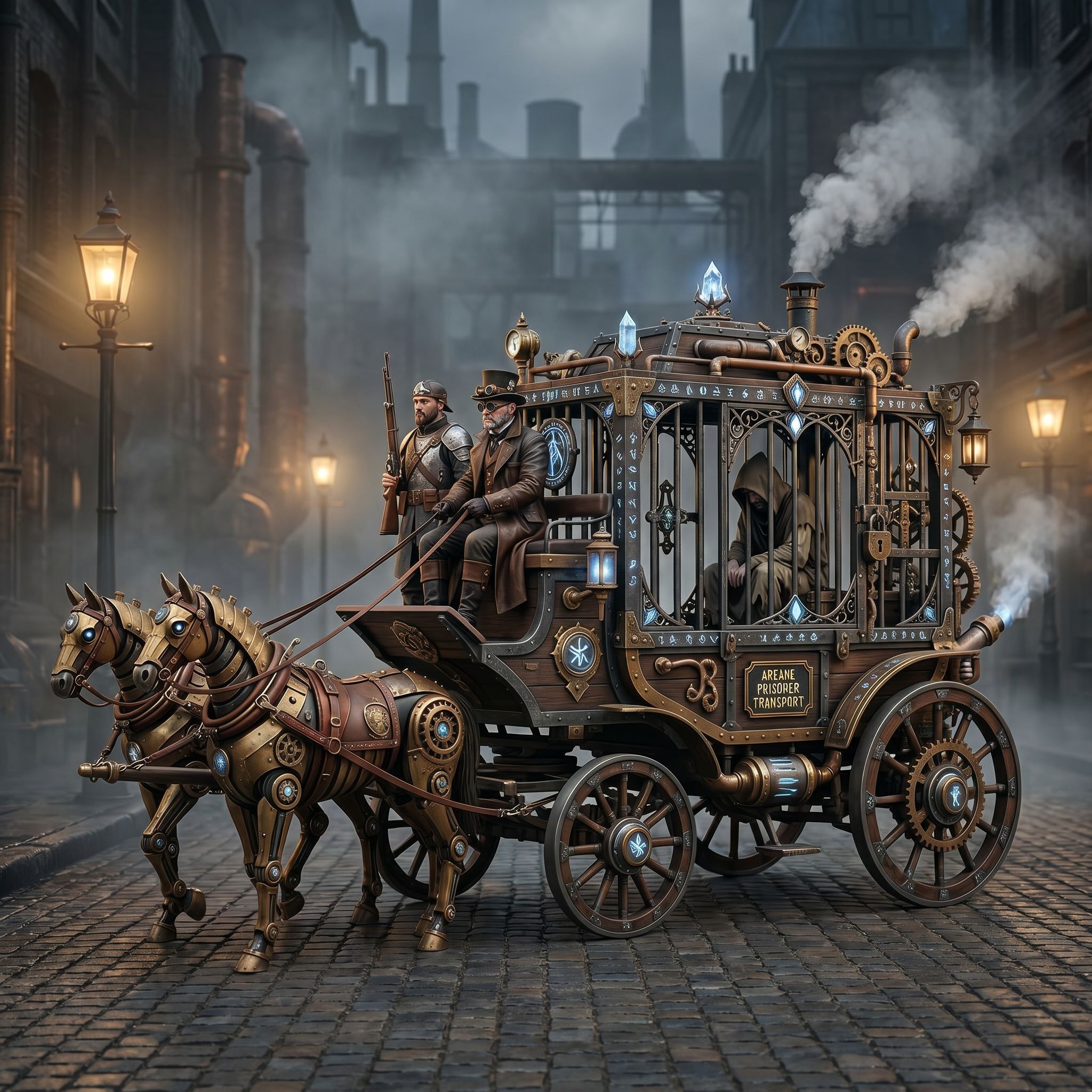
Community Spotlight: Steampunk Horse Car
A Vibart community member shared a steampunk horse-drawn vehicle concept and asked the AI to convert this style to an Unreal Engine rendering style. The result is a single image that demonstrates how reference-guided editing can shift a concept sketch into a production-oriented look without leaving the canvas.
What the Prompt Teaches Us
The prompt — “把这个风格转换成 unreal engine 渲染的风格” — is concise but carries three actionable instructions:
1. Reference anchoring – The source image stays visible on the canvas, so the model preserves silhouette, proportions, and key details. 2. Style target naming – “Unreal Engine rendering style” acts as a shorthand for PBR materials, dynamic lighting, high-poly geometry feel, and post-process bloom. 3. Implicit technical constraints – Game-ready assets need clean edges, consistent texel density, and readable silhouettes; the style keyword nudges the generator toward those qualities.
Canvas Workflow: From Reference to Finished Asset
1. Import and Lock the Reference Drag the concept onto the canvas, then lock the layer. This prevents accidental transforms while you paint or generate over it.
2. Run Reference-Guided Generation Select the locked layer, open the reference editing panel, and paste the style-transfer prompt. Vibart keeps the composition locked while rewriting materials, lighting, and surface detail.
3. Iterate with Layer Variants Create duplicate layers for: - Material pass – metalness/roughness emphasis - Lighting pass – rim light, volumetric fog - Detail pass – bolt heads, gear teeth, leather stitching
Toggle visibility to compare; merge when satisfied.
4. Crop Variants for Multi-Channel Use Use the crop tool to export: - Square (1:1) for marketplace thumbnails - 16:9 for trailer frames - Vertical (9:16) for social ads
Each crop retains layer structure so you can re-export later.
5. Production-Ready Export Enable PNG + alpha for transparent backgrounds, or EXR for HDR lighting data. Vibart’s export dialog also writes a manifest JSON with prompt, seed, and layer stack — useful for version control in game pipelines.
Transferring the Pattern to Other Domains
| Domain | Reference Input | Style Target Prompt | Output Use Case | |--------|----------------|---------------------|-----------------| | Ecommerce | Product photo on white | “Studio lighting, 8k product render, subtle caustics” | Hero images, PLP thumbnails | | Marketing | Storyboard sketch | “Cinematic keyframe, anamorphic flare, color grade” | Ad creatives, pitch decks | | Game Props | Blockout mesh screenshot | “Unreal Engine 5 nanite mesh, PBR, edge wear” | In-engine integration |
The same three-step rhythm — lock reference, name style, layer variants — scales across all three.
Tips for Consistent Brand Style
- Save a style preset once you dial in the Unreal look; reuse it across vehicles, props, and environments.
- Pin a color palette layer (hex swatches) above the reference so every variant respects brand colors.
- Use typography control on the canvas to add model numbers or SKU labels that survive every crop variant.
Closing the Loop
The Steampunk Horse Car workflow shows that a single reference image + a well-scoped style prompt + canvas layering = a reusable asset pipeline. Whether you’re shipping game props, ecommerce heroes, or video ad frames, the pattern stays the same: anchor, transfer, variant, export.
Sources and further reading
The workflow and platform rules in this article are grounded in these primary references. Confirm current rules for your market and channel before publishing.
- Vibart community work: Steampunk Horse CarVibart community · 2026-04-27
Next step: make one asset with the same workflow
Do not stop at the comparison page. Upload a reference, generate a direction, then keep copy and brand elements editable on the canvas.