Want to turn this into production assets?
Open Vibart to generate images or videos, then finish brand text, crops, and export-ready layouts on the canvas.
From Concept to Production: A Steampunk Style Transfer Workflow
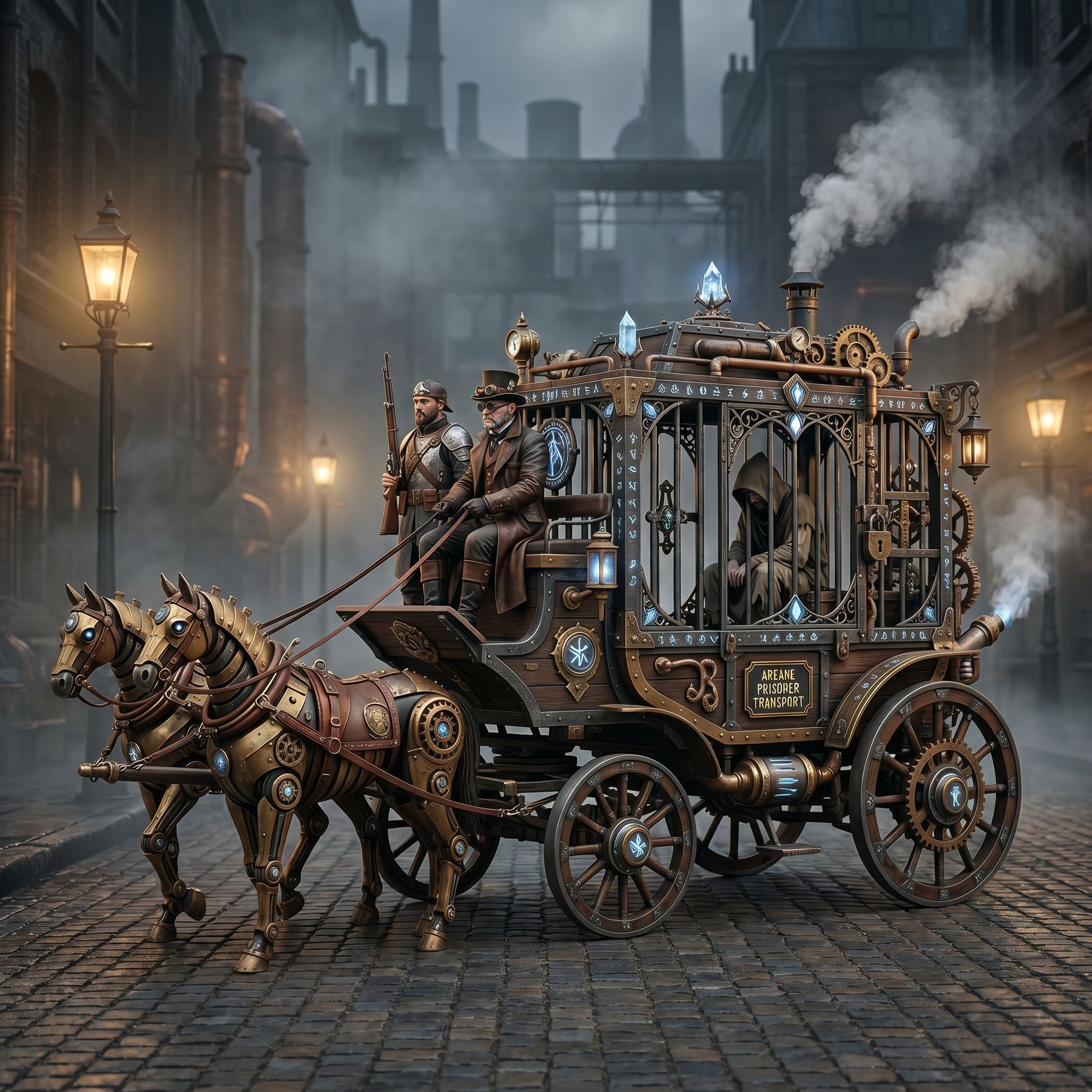
The Vibart community recently showcased a compelling example of AI-assisted style transfer: converting a steampunk horse car concept into an Unreal Engine rendering aesthetic. This workflow demonstrates how modern AI creative workspaces handle reference-guided editing, canvas-based iteration, and production-ready exports — all within a single environment.
Understanding the Visual Direction
The source concept features a steampunk horse-drawn vehicle — brass fittings, exposed gears, leather harnesses, and Victorian-era mechanical details. The creative goal: translate this into the distinct visual language of Unreal Engine renders, characterized by physically-based rendering (PBR) materials, dynamic lighting, volumetric atmosphere, and real-time engine aesthetics.
This type of style transfer is common in game design pre-production, where concept art must be validated against target engine capabilities before 3D production begins.
Prompt Strategy: Reference-Guided Editing
The community creator used a direct instructional prompt: "Convert this style to Unreal Engine rendering style." In practice, effective prompts for this workflow typically include:
- Material specifications: PBR metallic/roughness values for brass, leather, wood
- Lighting direction: HDRI environment, volumetric fog, subsurface scattering
- Camera settings: Focal length, depth of field, cinematic composition
- Render passes: Albedo, normal, roughness, AO for downstream compositing
AI creative workspaces that support reference image editing allow the source concept to guide composition while the prompt drives material and lighting transformation. This preserves the original design intent while adopting the target render style.
Canvas-Based Iteration Layers
A key advantage of canvas-based AI workspaces is non-destructive layering. For this workflow:
1. Base generation: Initial style transfer from reference 2. Material refinement: Separate layers for brass, leather, wood, glass materials 3. Lighting adjustment: Volumetric fog, rim lighting, emissive gear details 4. Detail enhancement: High-frequency detail pass for gear teeth, rivets, stitching 5. Color grading: LUT application matching Unreal's default filmic tonemapper
Each layer remains editable, allowing art directors to request revisions without regenerating the entire image.
Production-Ready Export Considerations
When the visual target is Unreal Engine integration, export requirements shift:
- Resolution variants: 4K hero, 2K texture reference, 1K thumbnail
- Aspect ratios: 16:9 cinematic, 4:3 concept review, 1:1 material sphere
- File formats: EXR for HDR lighting reference, PNG for albedo/normal guides
- Naming conventions: Consistent with pipeline asset naming standards
AI workspaces with crop variant and export preset features accelerate this handoff to 3D artists and technical artists.
Applying This Workflow to Ecommerce and Marketing
While this example comes from game design, the same pipeline applies to ecommerce and marketing creative:
- Product visualization: Convert hand-drawn sketches to photorealistic renders
- Brand consistency: Reference-guided editing maintains logo, color, typography across variants
- Campaign scaling: Canvas layers enable rapid crop variants for social, web, print
- Video generation: Static renders become keyframes for AI video generation
Key Takeaways for Creative Teams
1. Reference images anchor composition — use them to preserve design intent during style transfer 2. Layer-based canvases enable iteration — separate materials, lighting, and effects for non-destructive edits 3. Export presets match pipeline needs — configure once, reuse across projects 4. Prompt specificity drives quality — include material, lighting, and camera parameters 5. Cross-discipline handoff — structure outputs for 3D, video, and marketing teams simultaneously
Next Steps in Your AI Creative Workflow
Experiment with reference-guided editing on your own concept art. Start with a clear source image, define your target render style with specific technical parameters, and use canvas layers to iterate toward production-ready assets. The same principles apply whether you're designing game assets, ecommerce product shots, or marketing campaign visuals.
Sources and further reading
The workflow and platform rules in this article are grounded in these primary references. Confirm current rules for your market and channel before publishing.
- Vibart community work: Steampunk Horse CarVibart community · 2026-04-27
Next step: make one asset with the same workflow
Do not stop at the comparison page. Upload a reference, generate a direction, then keep copy and brand elements editable on the canvas.