Comparing Lovart or AI design agents? Test the production workflow.
Generate with references, then finish headlines, logos, offer text, crops, and export-ready layouts in the Vibart canvas.
From Steampunk to Production: How AI Creative Workflows Turn Style Ideas into Finished Assets
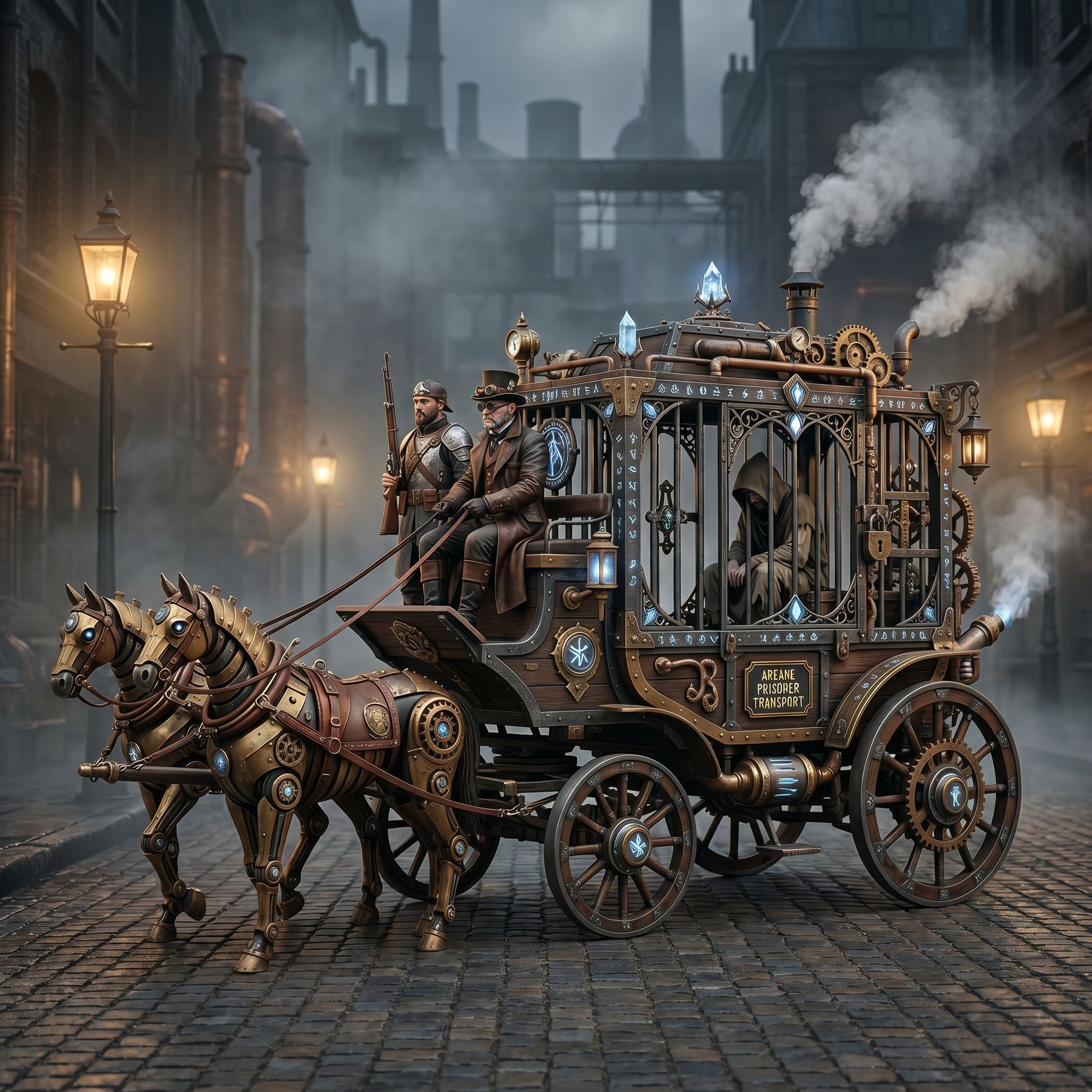
When a Vibart community member set out to create a Steampunk Horse Car, the brief was simple but powerful: convert the concept into an Unreal Engine render style. The result—an image rooted in game design—shows how a clear visual direction, a focused prompt, and the right creative workspace can move a project from mood to finished asset in a single workflow.
This article breaks down what creators, designers, marketers, and ecommerce sellers can learn from that process, and how an AI creative workspace supports every stage.
Start With a Visual Direction, Not Just a Prompt
The Steampunk Horse Car example works because it begins with a defined aesthetic target: Unreal Engine rendering. That style carries expectations—cinematic lighting, detailed surfaces, realistic materials, and a polished game-asset look. Before any image is generated, the creator has already made two decisions: the subject (a steampunk horse car) and the visual language (Unreal Engine quality).
For ecommerce sellers and marketers, this is the same principle applied to product visuals. Instead of hoping an AI "gets the look right," define the style first—glossy product photography, flat illustration, 3D render, or editorial fashion—then build the prompt around it. A defined direction produces more consistent outputs and reduces the time spent fixing mismatched styles later.
Use the Canvas as an Iterative Workspace
Generating an image is only the first step. The real value of an AI design canvas lies in what happens after the first output: adjusting composition, swapping elements, refining details, and comparing variants side by side.
In the Steampunk Horse Car workflow, the creator likely went through multiple rounds of refinement—tweaking the vehicle design, balancing the steampunk details against the clean Unreal Engine aesthetic, and checking that the final image held together as a cohesive scene. An editable canvas with layers makes this process manageable. Rather than regenerating from scratch each time, creators can isolate changes, adjust specific regions, and preserve elements that are working.
This iterative approach matters especially for AI image generation workflows where the final asset needs to feel intentional, not accidental.
Reference-Guided Editing Keeps Brand Consistency
One challenge for teams using AI-generated visuals is maintaining consistency across assets. When a brand needs dozens of product images, social posts, or ad creatives, every output should feel like it belongs to the same family.
Reference-guided editing addresses this directly. By feeding a reference image into the editing process, creators can align tone, palette, lighting, and composition across a campaign. The Steampunk Horse Car demonstrates this at a single-image level: the Unreal Engine style acts as the reference, and every detail in the final image serves that target.
For marketing teams and ecommerce sellers, reference consistency means fewer manual edits and faster approval cycles. It also means that AI video generation for ads can carry the same visual language when extended from still assets.
From Still Images to Ecommerce and Marketing Assets
The Steampunk Horse Car sits in the game design category, but the workflow applies broadly:
- Ecommerce product image generation: Define a clean product style, generate hero shots, and refine details using reference images.
- Social media and ad creatives: Produce multiple crop variants and typography layouts from a single base image.
- Brand storytelling: Use consistent visual direction across campaigns to build recognition.
An AI creative workspace that supports production-ready exports—proper aspect ratios, high-resolution output, and layered files—turns experimental generation into usable business assets.
Choosing the Right Workflow Tool
When comparing platforms, search terms like "Lovart alternative AI design canvas" or "AI creative workspace comparison" reflect a real need: creators want to understand which tools support a full workflow rather than just a single generation step.
The distinction matters. A tool that only generates images may suffice for quick experiments. But teams that need reference image editing, brand consistency, canvas-based layering, crop variants, and production-ready exports need a workspace built for the entire creative pipeline. The question is not just "can it generate?" but "can it finish?"
Practical Takeaways
1. Define the style before you prompt. Unreal Engine, product photography, flat illustration—start with the end visual. 2. Iterate on the canvas. Use layers and region editing to refine rather than regenerate. 3. Use references for consistency. Align every asset to a shared visual target. 4. Plan for exports. Design with crop variants, typography, and final formats in mind. 5. Match the tool to the workflow. Single-generation tools work for experiments; full workspaces support production.
The Steampunk Horse Car is a small community piece, but it points to a larger truth: the gap between a creative idea and a usable asset is a workflow. The right AI creative workspace closes that gap.
Sources and further reading
The workflow and platform rules in this article are grounded in these primary references. Confirm current rules for your market and channel before publishing.
- Vibart community work: Steampunk Horse CarVibart community · 2026-04-27
Next step: make one asset with the same workflow
Do not stop at the comparison page. Upload a reference, generate a direction, then keep copy and brand elements editable on the canvas.