Comparing Lovart or AI design agents? Test the production workflow.
Generate with references, then finish headlines, logos, offer text, crops, and export-ready layouts in the Vibart canvas.
Why Reference Images Matter in AI Creative Workflows
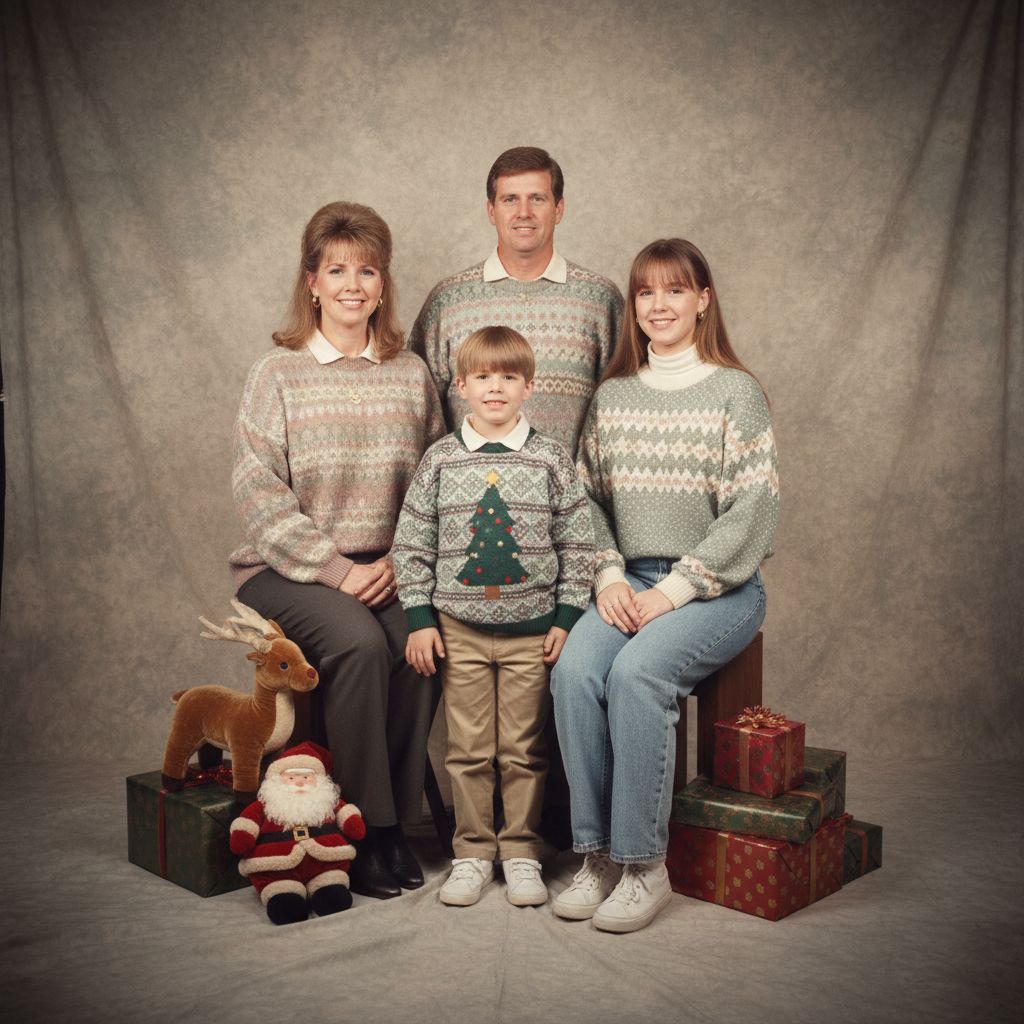
When creators generate AI imagery, consistency isn’t accidental—it’s engineered through reference guidance. The Vibart community’s "Family Photo in 80s" project demonstrates how a single prompt can anchor an entire visual language. By specifying studio lighting, muted pastels, and period-appropriate styling, the creator established a cohesive aesthetic that would translate across product mockups, social ads, and brand assets.
This approach is critical for ecommerce sellers and marketers who need to maintain brand identity across diverse content types. A reference image acts as a visual contract, ensuring AI-generated outputs align with brand guidelines without requiring manual adjustments for every asset.
Deconstructing the 1980s Portrait Prompt
The prompt for this project reveals key principles of effective AI prompting:
- Contextual Anchors: Terms like "department store-style studio portrait" and "late 1980s to early 1990s" provide temporal specificity. These anchors help AI models avoid anachronistic interpretations.
- Sensory Details: "Soft beige and gray muslin backdrop with subtle mottling" adds texture and depth. Sensory language improves output fidelity by guiding lighting and material properties.
- Emotional Tone: Phrases such as "awkwardly wholesome" and "polite, mildly uncomfortable smiles" shape the subject’s expression and posture. Emotional cues are often overlooked but essential for authentic results.
For video generation, these same principles apply. A prompt specifying "mall-photo-studio energy" could guide AI video tools to replicate lighting setups or camera movements in ad campaigns.
Leveraging Vibart’s Canvas Layers for Brand Consistency
Vibart’s editable canvas layers enable creators to refine AI outputs while preserving original structure. After generating the 1980s portrait, a designer could:
- Overlay text elements with period-appropriate typography
- Add product placeholders for ecommerce use
- Adjust color grading to match brand palettes
These layers function as non-destructive editing tools, allowing rapid iteration without starting from scratch. For founders managing multiple projects, this efficiency reduces production time while maintaining quality.
From Static Images to Dynamic Ecommerce Assets
The 1980s portrait’s "mass-market and deeply nostalgic" aesthetic offers practical applications:
- Product Photography: Apply the same lighting and styling to showcase products in a retro-inspired campaign
- Social Media Templates: Extract elements like the beige backdrop for branded content
- Video Ad B-Roll: Use the image as a reference for AI video generation, ensuring visual continuity across platforms
By treating reference images as reusable assets, creators maximize their investment in AI tools like Vibart. The ability to crop variants or export production-ready files streamlines workflows for time-sensitive campaigns.
Practical Steps for Your Next AI Project
1. Start with a Reference: Choose or generate an image that embodies your brand’s visual language 2. Engineer Specific Prompts: Include temporal, emotional, and technical details to guide AI models 3. Use Canvas Layers: Refine outputs with editable elements for flexibility 4. Export Strategically: Leverage crop variants and production-ready formats for multi-channel deployment
Vibart’s workflow tools transform isolated AI generations into cohesive visual systems. Whether creating nostalgic product shots or modern ad campaigns, reference-guided editing ensures your creative vision remains sharp—and your brand remains consistent.
Sources and further reading
The workflow and platform rules in this article are grounded in these primary references. Confirm current rules for your market and channel before publishing.
- Vibart community work: Family Photo in 80sVibart community · 2026-01-09
Next step: make one asset with the same workflow
Do not stop at the comparison page. Upload a reference, generate a direction, then keep copy and brand elements editable on the canvas.