Comparing Lovart or AI design agents? Test the production workflow.
Generate with references, then finish headlines, logos, offer text, crops, and export-ready layouts in the Vibart canvas.
From Community Spotlight to Creative Workflow: Lessons from "A Bear"
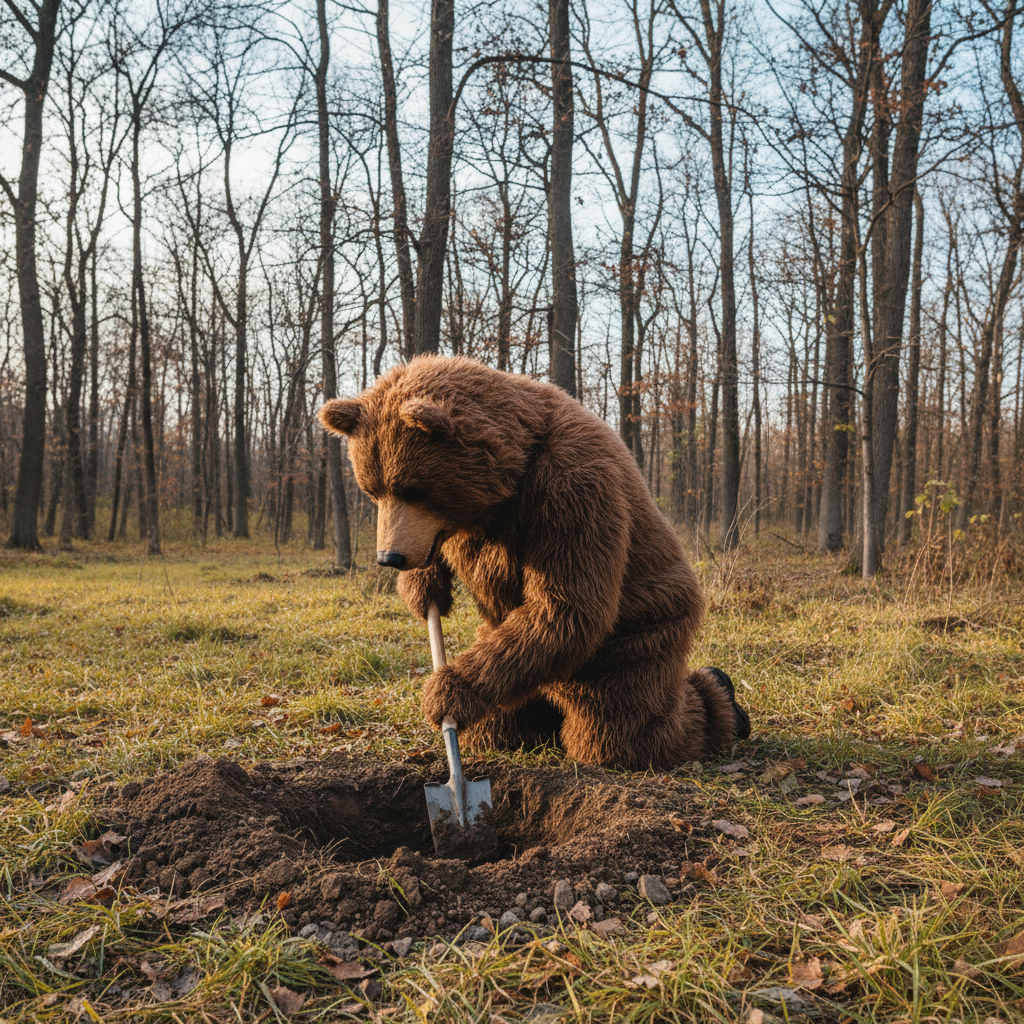
In AI-driven creative spaces, community projects often reveal practical workflows that professionals can adapt. One such example is "A Bear," a Vibart community work featuring a person in a bear costume digging in the ground. While simple in concept, its creation involved strategic use of AI tools, reference guidance, and canvas-based finishing. Below, we break down how this project reflects Vibart’s strengths and offers actionable insights for designers, marketers, and ecommerce creators.
Understanding the Prompt and Visual Direction
The prompt for "A Bear"—"生成一直穿着熊套服的人在挖掘地面" (a person wearing a bear costume digging in the ground)—highlights the importance of clear, culturally nuanced language in AI image generation. Vibart’s text-to-image engine interprets such prompts to produce contextually accurate visuals. For creators working in multilingual markets, this demonstrates how precise prompt engineering can bridge language gaps and ensure brand consistency across global campaigns.
Leveraging Reference-Guided Editing for Consistency
While the initial image was generated autonomously, Vibart’s reference-guided editing tools allow creators to refine outputs using prior assets. For ecommerce teams, this means maintaining brand-aligned aesthetics across product visuals. In the case of "A Bear," reference editing could ensure the bear costume’s texture and color palette align with a brand’s existing design language, even when generating variations for social media or ad campaigns.
Building with Editable Canvas Layers
Vibart’s canvas-based production design environment enables layered editing—a feature critical for iterative creative workflows. After generating the base image, creators can adjust elements like lighting, composition, or typography without regenerating the entire asset. This flexibility is particularly valuable for marketing teams testing ad creatives or designers refining product mockups.
Optimizing for Ecommerce and Marketing Assets
Ecommerce sellers often require multiple image variants for product listings, ads, and social media. Vibart’s crop variants and export tools simplify this process. For "A Bear," creators could generate square, portrait, and landscape versions of the image to suit different platforms, ensuring consistent branding across channels while minimizing manual editing time.
Typography Control for Final Touches
Adding text overlays—such as promotional slogans or product labels—is streamlined with Vibart’s typography controls. Designers can adjust font, size, and placement directly on the canvas, avoiding the need for external design software. This integration reduces workflow friction for creators producing marketing materials or branded social content.
Production-Ready Exports for Seamless Integration
Once finalized, Vibart’s export tools deliver assets in formats optimized for web, print, or video. For video generation workflows, AI-rendered images from projects like "A Bear" can serve as static elements in motion graphics or ad sequences, ensuring visual coherence across media types.
Comparing AI Creative Workflows: Vibart vs. Alternatives
When evaluating AI design canvases, the choice often hinges on workflow flexibility. Unlike platforms focused solely on image generation, Vibart combines generative AI with editable layers, reference-guided adjustments, and export versatility. This hybrid approach suits creators who need both rapid prototyping and granular control—a balance that distinguishes it from tools like Lovart, which may prioritize speed over iterative refinement.
Key Takeaways for Creative Teams
1. Prompt Precision: Clear, culturally relevant prompts reduce revision cycles. 2. Reference Editing: Maintain brand consistency across generated assets. 3. Layered Canvas: Iterate on visuals without regenerating from scratch. 4. Crop Variants: Adapt assets for multiple platforms efficiently. 5. Typography Tools: Add text overlays without leaving the workspace. 6. Export Flexibility: Deliver assets in formats ready for ecommerce or marketing use.
By analyzing community projects like "A Bear," Vibart users can identify patterns that accelerate their own creative processes. Whether developing product imagery, ad campaigns, or branded content, the platform’s integrated tools support both exploratory and production-oriented workflows.
For teams evaluating AI design solutions, this example underscores Vibart’s value in balancing innovation with practical usability.
Sources and further reading
The workflow and platform rules in this article are grounded in these primary references. Confirm current rules for your market and channel before publishing.
- Vibart community work: A BearVibart community · 2025-12-31
Next step: make one asset with the same workflow
Do not stop at the comparison page. Upload a reference, generate a direction, then keep copy and brand elements editable on the canvas.