Want to turn this into production assets?
Open Vibart to generate images or videos, then finish brand text, crops, and export-ready layouts on the canvas.
From Idea to Asset: The Power of AI Creative Workflows
In today's fast-paced digital landscape, designers, ecommerce sellers, marketers, founders, and creators are constantly seeking ways to accelerate their creative output without compromising quality. The emergence of AI creative workspaces has revolutionized how ideas are brought to life, offering powerful tools for image generation, video creation, and intricate design editing. An integrated platform can transform a simple concept into a production-ready asset, streamlining workflows and enhancing efficiency.
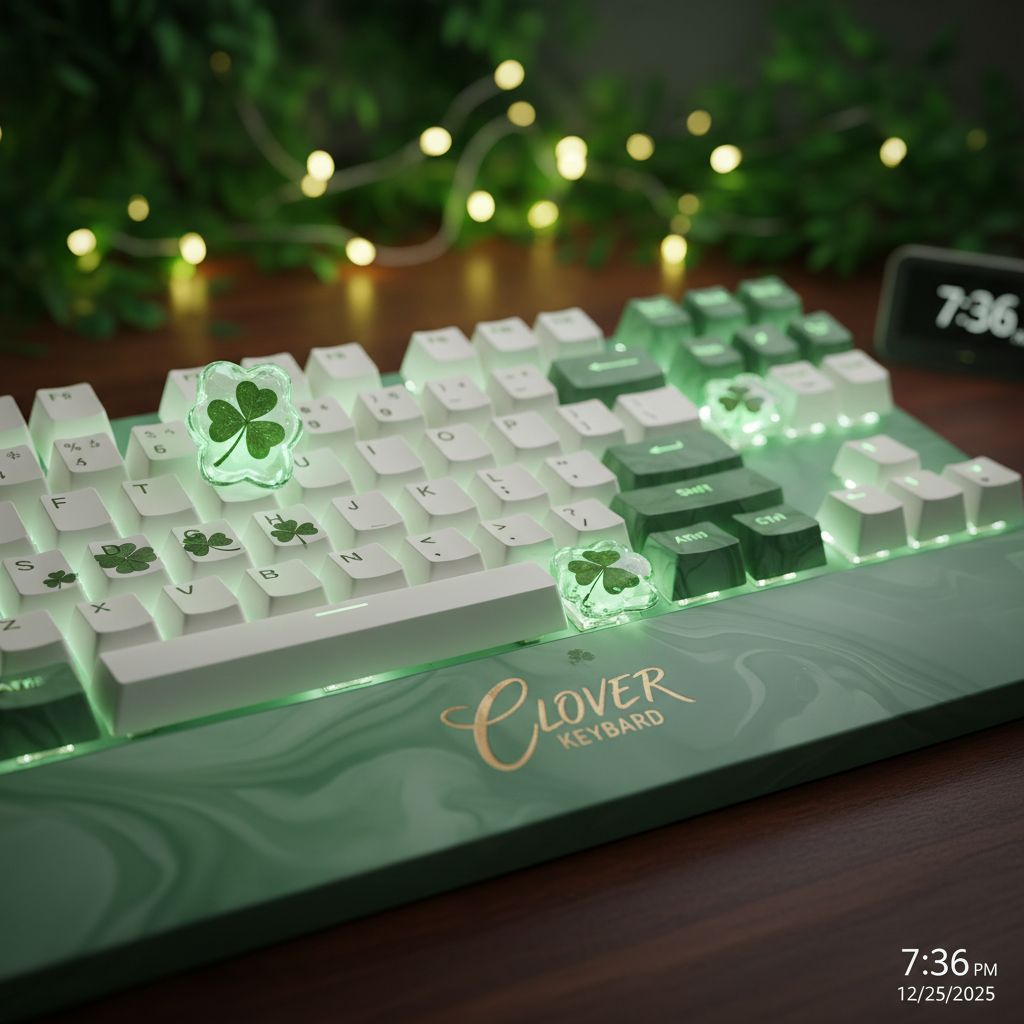
Consider a seemingly straightforward idea, such as a 'Keyboard Clover.' While the initial prompt might be simple, the journey from this concept to a polished, usable asset for marketing or product design involves multiple steps. This is where a comprehensive AI design canvas becomes invaluable, allowing creators to move beyond basic generation to detailed refinement and adaptation.
The "Keyboard Clover" Workflow: A Deep Dive into AI-Powered Design
Starting with a prompt like "Keyboard Clover" in an AI image generation tool can yield a foundational visual. This initial image serves as the raw material, a starting point for a more elaborate creative process. For instance, a generated image of a keyboard adorned with a clover design could be the basis for a new product concept, a marketing campaign visual, or a unique graphic for a website.
However, a single generated image rarely meets all the requirements for a professional project. This is where the capabilities of an advanced AI creative workspace come into play, enabling creators to refine, adapt, and expand upon the initial AI output.
Beyond Generation: The AI Design Canvas Workflow
An effective AI design canvas goes beyond merely generating images. It provides an editable environment where creators can manipulate and enhance their AI-generated content. For those exploring an AI design canvas workflow or seeking a robust AI design agent alternative, the ability to work with editable canvas layers is paramount. This allows for:
Layer-based Editing: The initial generated image can be broken down or integrated into a multi-layered composition. This means adding new elements, adjusting backgrounds, or isolating specific parts of the image for further modification. Imagine placing the 'Keyboard Clover' onto a different desk surface, or adding a stylized background to make it pop. Reference-Guided Editing and Brand Consistency: Maintaining a consistent brand aesthetic across all assets is crucial, especially for ecommerce and marketing. With reference image editing and brand consistency features, creators can upload existing brand guidelines, product photos, or mood boards to guide the AI's modifications. This ensures that the generated 'Keyboard Clover' image aligns perfectly with existing brand colors, lighting, and style, making it ideal for ecommerce product image generation. Typography Control: Text plays a vital role in marketing and product presentation. An AI design canvas should offer precise typography control, allowing designers to add headlines, product descriptions, or call-to-action text directly onto the canvas. This includes selecting brand fonts, adjusting kerning, leading, and text effects, ensuring the message is clear and on-brand. Crop Variants for Multi-Platform Use: Different platforms require different aspect ratios. From an initial 'Keyboard Clover' image, an AI workspace can generate various crop variants optimized for social media posts, website banners, email newsletters, or print ads. This saves significant time compared to manual resizing and adaptation.
Expanding to Video and Marketing Assets
The utility of an integrated AI creative workspace extends beyond static images. For marketers and ecommerce sellers, the ability to transition from image to video is a game-changer. An AI platform that supports AI video generation for ads allows creators to animate their 'Keyboard Clover' design, transforming a static product shot into a dynamic video ad for social media campaigns or product launches. This capability is particularly beneficial for those in ecommerce product image generation looking to create engaging visual stories.
Furthermore, the entire process, from initial prompt to final export, is geared towards producing ecommerce/marketing assets efficiently. Whether it's creating product mockups, lifestyle shots, or promotional graphics, the workflow is designed to support rapid iteration and high-volume asset creation.
Choosing Your AI Creative Workspace: Vibart as an Alternative
When evaluating an AI creative workspace comparison or searching for a Lovart alternative AI design canvas, it's important to consider platforms that offer a comprehensive suite of tools. Many creators seek an AI design agent alternative that integrates image and video generation with advanced editing capabilities.
Vibart is designed to meet these needs, offering a robust platform for AI image generation workflow and AI video generation for ads. Its canvas-based production design environment empowers users with editable layers, precise typography control, and the ability to generate multiple crop variants. This integrated approach allows designers and marketers to move seamlessly from initial concept to polished, production-ready exports, ensuring brand consistency and creative flexibility. For those evaluating Lovart vs Vibart AI creative workflow or looking for a Lovart competitor for ecommerce creatives, Vibart provides a comprehensive solution focused on practical, production-oriented design.
By leveraging Vibart's capabilities, creators can transform simple ideas, like the 'Keyboard Clover' example, into a diverse range of high-quality assets, significantly enhancing their creative output and operational efficiency.
Sources and further reading
The workflow and platform rules in this article are grounded in these primary references. Confirm current rules for your market and channel before publishing.
- Vibart community work: Keyboard CloverVibart community · 2026-01-13
Next step: make one asset with the same workflow
Do not stop at the comparison page. Upload a reference, generate a direction, then keep copy and brand elements editable on the canvas.