Want to turn this into production assets?
Open Vibart to generate images or videos, then finish brand text, crops, and export-ready layouts on the canvas.
Introduction
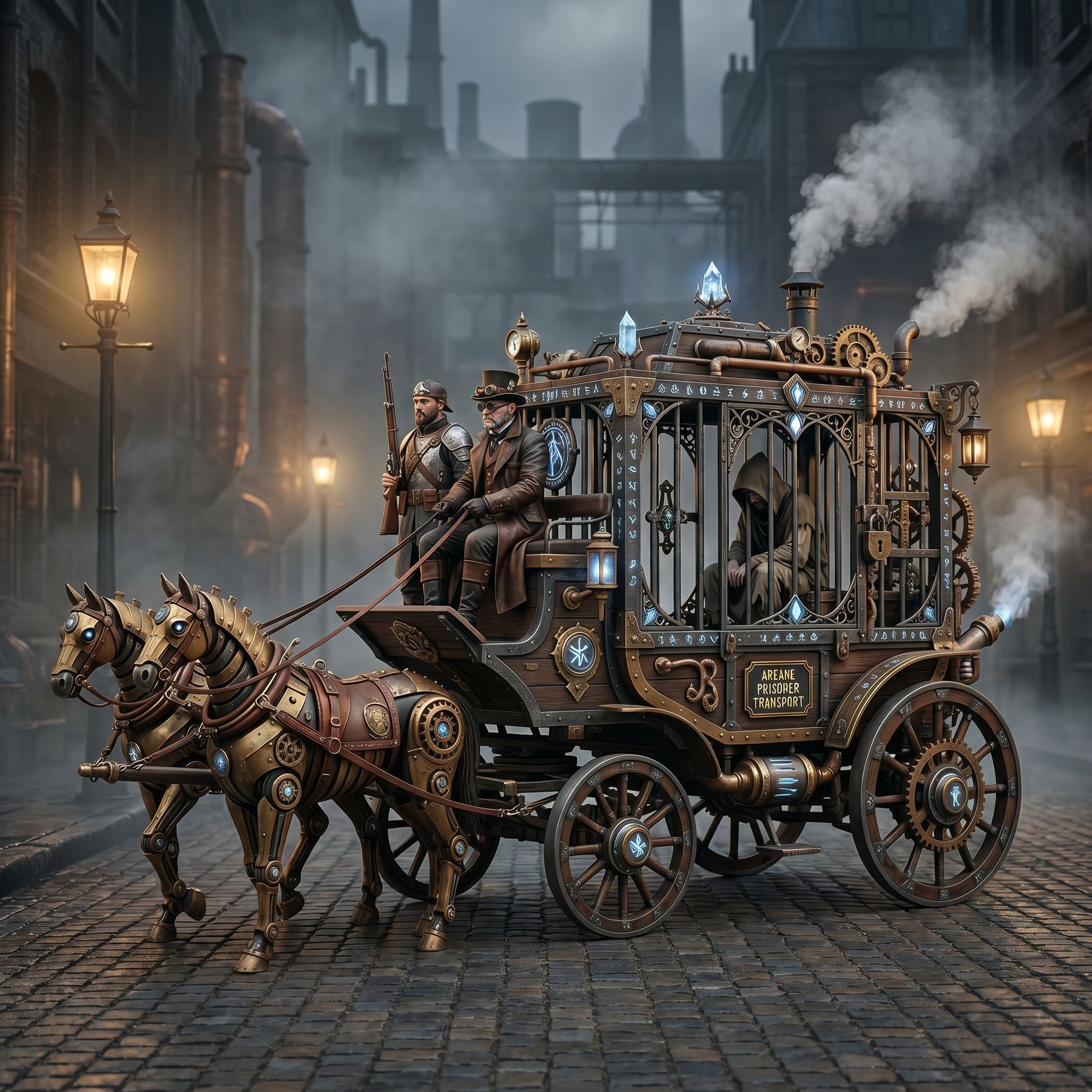
The Vibart community spotlight showcases a Steampunk Horse Car created by a community member on April 27 2026. The image, categorized under Game Design, demonstrates how a single reference can be transformed into a polished, Unreal Engine‑style render using AI tools.
Understanding the Visual Direction
The original artwork depicts a horse‑drawn carriage with Victorian‑era mechanical details, rendered in a stylized, hand‑drawn aesthetic. The community prompt asks the AI to “convert this style into Unreal Engine rendering style,” which guides the model toward high‑detail, real‑time graphics while preserving the steampunk motif.
Crafting an Effective Prompt
A good prompt balances specificity and flexibility. Key elements include: - Subject: “Steampunk horse car”. - Style reference: “Unreal Engine rendering”. - Desired outcome: “high‑resolution, production‑ready asset for ecommerce”.
By clearly stating the target engine and the intended use, the AI can prioritize texture detail, lighting, and perspective that match both the original aesthetic and the technical requirements of modern game or marketing assets.
Leveraging Vibart’s Editable Canvas
Vibart provides an AI‑driven canvas where each generation step lives on its own layer. This structure lets creators: - Reference‑guided editing: Upload the original Steampunk Horse Car image as a reference layer, then apply the AI model to generate a new layer that respects the underlying composition. - Layer manipulation: Adjust lighting, material properties, or camera angles on separate layers without re‑rendering the entire scene. - Typography and branding: Add custom text or logo layers that stay aligned with the visual style, ensuring brand consistency across product listings.
From Canvas to Production‑Ready Export
Once the AI‑generated layer is in place, Vibart’s workflow supports several export options that are crucial for ecommerce sellers: - Crop variants: Generate multiple aspect ratios (e.g., square for Instagram, vertical for Stories, landscape for website banners) directly from the same canvas. - Production‑ready exports: Download PNG or WebP files with transparent backgrounds, or export video clips for ad campaigns, all while maintaining the high‑detail Unreal Engine look. - Iterative refinement: Because each edit is non‑destructive, sellers can A/B test different visual treatments and quickly select the version that drives the highest conversion.
Practical Takeaways for Designers and Marketers
1. Start with a strong reference – the community image serves as a visual anchor; uploading it to Vibart’s canvas ensures the AI stays true to the original composition. 2. Be explicit in your prompt – mentioning “Unreal Engine rendering” tells the model to prioritize realistic lighting, depth of field, and material fidelity, which are essential for high‑impact product imagery. 3. Use layered editing – treat each AI output as a layer, allowing you to tweak details such as gear textures or steam effects without losing the base image. 4. Export for multiple channels – leverage Vibart’s crop variants and batch export features to produce assets that meet the specifications of different ecommerce platforms and ad networks. 5. Maintain brand consistency – add your logo or tagline on a dedicated layer, then apply uniform color grading across all variants to keep the visual identity cohesive.
Conclusion
The Steampunk Horse Car spotlight illustrates a complete AI creative workflow: from selecting a reference image, through prompt engineering, to layered canvas editing and final production export. By following these steps, designers, ecommerce sellers, and marketers can harness Vibart’s AI design canvas to generate, refine, and deliver high‑quality visual assets that align with both artistic vision and commercial needs.
---
Keywords: Lovart alternative AI design canvas, Lovart vs Vibart AI creative workflow, AI design agent alternative, AI creative workspace comparison, Lovart competitor for ecommerce creatives, AI image generation workflow, AI video generation for ads, reference image editing and brand consistency, ecommerce product image generation, AI design canvas workflow
Topics: AI design workflow, ecommerce creatives, reference image editing, AI image generation, AI video generation
Hero Image Alt: Steampunk horse car rendered in Unreal Engine style
CTA: Explore Vibart -> /
Sources and further reading
The workflow and platform rules in this article are grounded in these primary references. Confirm current rules for your market and channel before publishing.
- Vibart community work: Steampunk Horse CarVibart community · 2026-04-27
Next step: make one asset with the same workflow
Do not stop at the comparison page. Upload a reference, generate a direction, then keep copy and brand elements editable on the canvas.