Want to turn this into production assets?
Open Vibart to generate images or videos, then finish brand text, crops, and export-ready layouts on the canvas.
Starting Point: The Steampunk Horse Car Concept
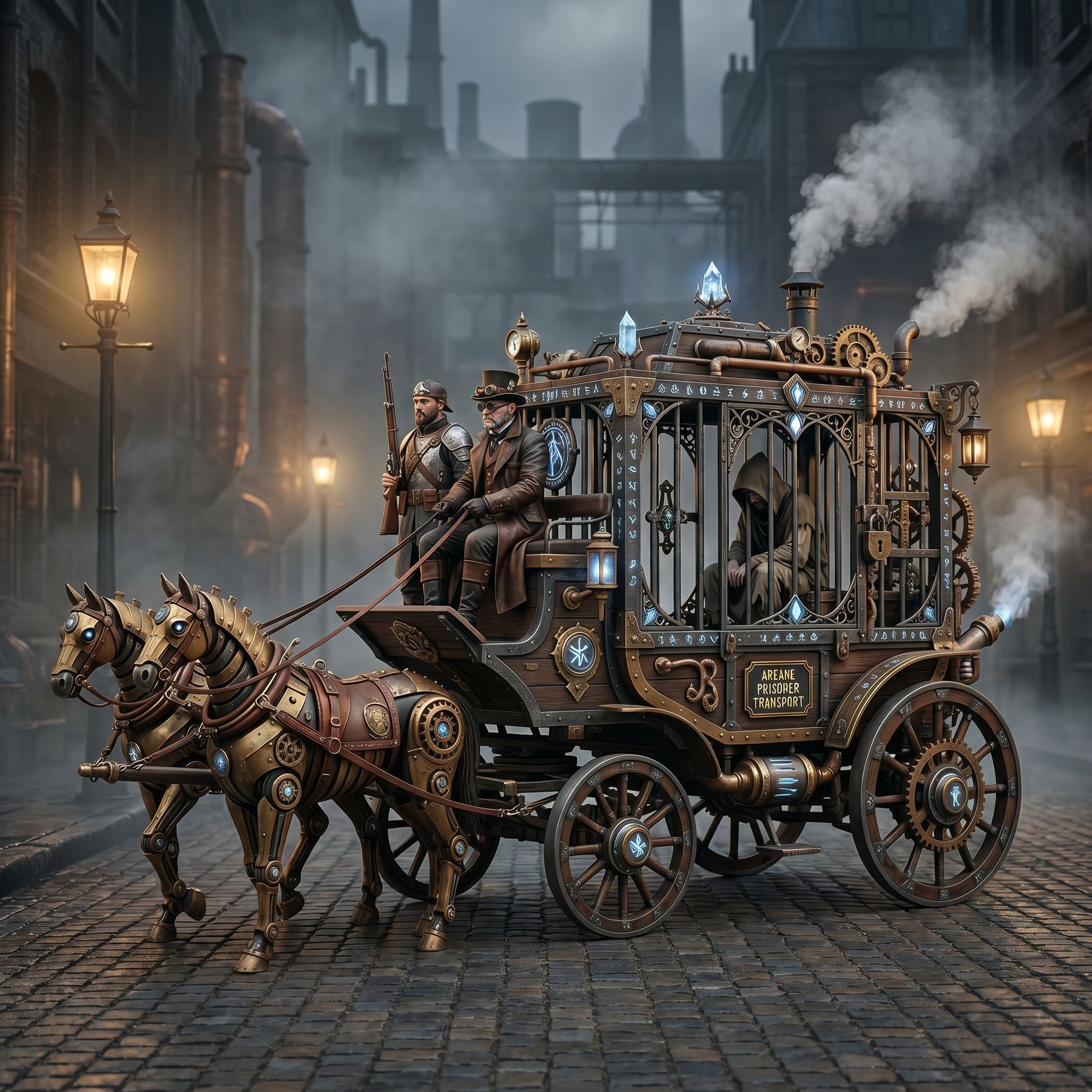
A recent community submission featured a steampunk horse car rendered in a detailed mechanical style. The concept blends Victorian-era ornamentation with futuristic locomotion, a popular direction for game design and concept art. The creator’s goal was clear: convert this aesthetic into an Unreal Engine-style render.
This is a common challenge for creators who want to bridge imaginative concepts with production-ready visuals. The workflow involves three key stages: concept generation, reference-guided refinement, and canvas-based finishing.
Stage 1: Concept Generation with AI Image Tools
The first step in any AI creative workflow is generating a strong base concept. For the steampunk horse car, the initial image likely began with a descriptive prompt emphasizing mechanical details, brass finishes, and dynamic motion.
AI image generation tools allow creators to iterate quickly. By adjusting prompts and sampling different outputs, designers can lock in a direction that matches their vision. This stage benefits from tools that support high-resolution outputs and style-specific models.
For ecommerce sellers and marketers, this means faster prototyping of product visuals. Instead of waiting for a photographer or 3D artist, teams can generate multiple concepts in minutes.
Stage 2: Reference-Guided Editing for Style Conversion
Once the base concept is locked, the next step is converting the style to match a target engine or renderer. In this case, the prompt requested an Unreal Engine rendering style.
Reference-guided editing allows creators to upload or describe a target aesthetic and apply it to the existing image. This is where AI creative workspaces shine: they let users guide edits using text prompts, reference images, or layer-based adjustments.
Maintaining brand consistency is critical here. Whether designing a game asset or a marketing banner, creators need tools that preserve core elements while adapting the overall look. Reference editing helps ensure that the final image aligns with project standards.
Stage 3: Canvas-Based Finishing and Export
The final stage involves refining the image on an editable canvas. This is where typography, crop variants, and layer adjustments come into play.
Canvas-based production design lets creators fine-tune lighting, add text overlays, and adjust compositions for different platforms. For example, a single steampunk concept might need variants for social media, product listings, and promotional videos.
Production-ready exports ensure that files are optimized for their intended use. Whether exporting a PNG for a website or a sequence for video generation, the canvas workflow supports multiple output formats.
Applying This Workflow to Other Projects
This steampunk-to-Unreal workflow is not limited to game design. Ecommerce sellers can use similar steps to generate product mockups, marketers can create ad variations, and founders can prototype branding concepts.
The key principles remain the same:
- Start with a strong conceptual prompt
- Use reference editing to guide style and tone
- Finish on an editable canvas for maximum flexibility
By mastering these stages, creators can build a repeatable AI creative workflow that scales across projects and teams.
Choosing the Right AI Creative Workspace
Not all AI design platforms support this full workflow. Some focus only on image generation, while others lack canvas editing or reference tools. When evaluating options, look for workspaces that combine generation, editing, and finishing in one environment.
Platforms that support image and video generation, reference-guided editing, and editable canvas layers offer the most flexibility. These features allow creators to move seamlessly between stages without switching tools.
For teams working on ecommerce assets or marketing campaigns, integrated workflows reduce friction and speed up delivery. The ability to generate, edit, and export within a single workspace is a major advantage.
Conclusion
The steampunk horse car example shows how a simple concept can evolve into a polished, engine-ready render using AI tools. By following a structured workflow—generation, reference editing, and canvas finishing—creators can produce high-quality visuals efficiently.
Whether you're designing game assets, building marketing materials, or exploring creative ideas, these steps provide a roadmap for leveraging AI in your creative process. The right tools make it possible to turn imagination into production-ready results.
Sources and further reading
The workflow and platform rules in this article are grounded in these primary references. Confirm current rules for your market and channel before publishing.
- Vibart community work: Steampunk Horse CarVibart community · 2026-04-27
Next step: make one asset with the same workflow
Do not stop at the comparison page. Upload a reference, generate a direction, then keep copy and brand elements editable on the canvas.