Want to turn this into production assets?
Open Vibart to generate images or videos, then finish brand text, crops, and export-ready layouts on the canvas.
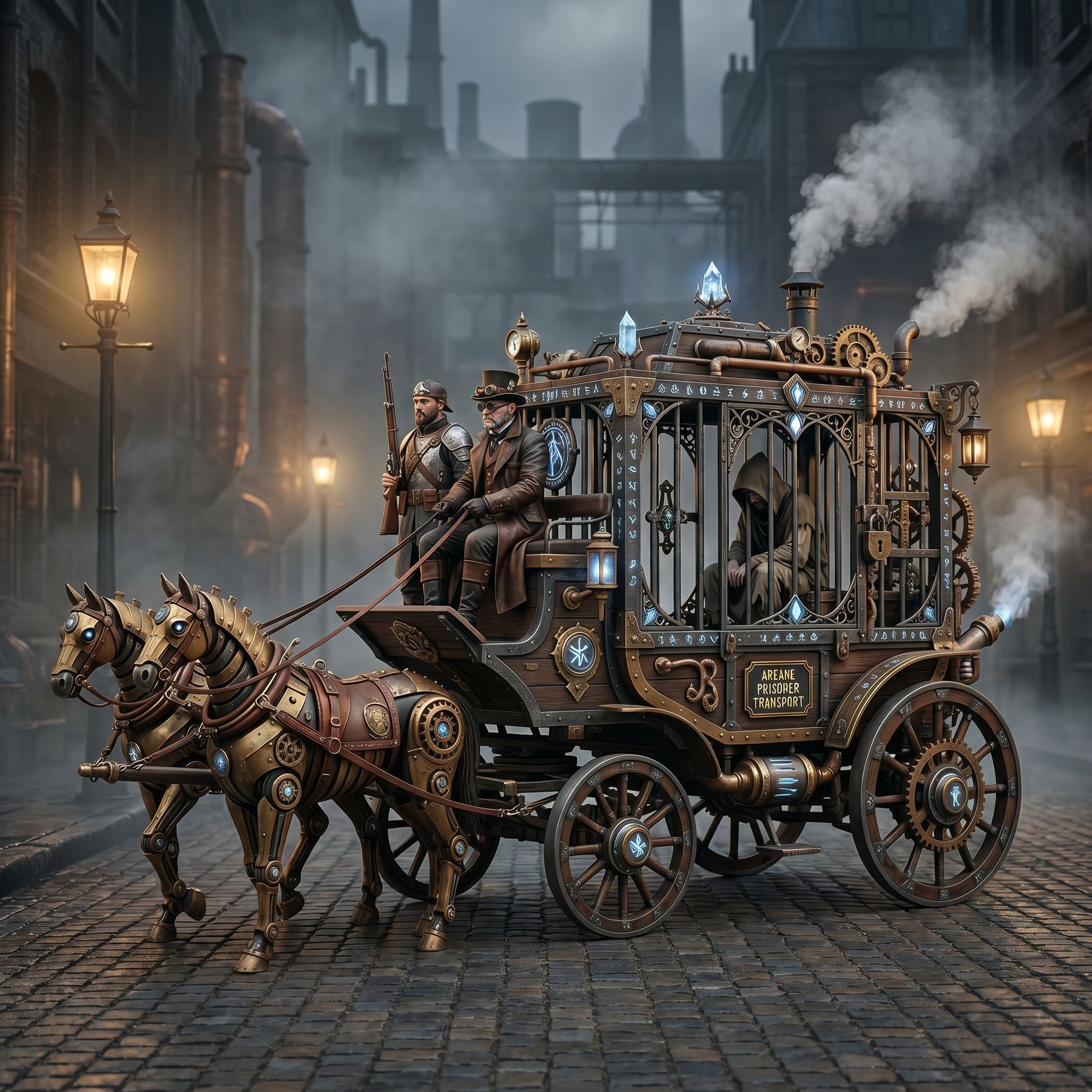
Community Spotlight: Steampunk Horse Car
A Vibart community member shared a steampunk vehicle concept with a clear directive: convert this style to Unreal Engine rendering style. The prompt — "把这个风格转换成 unreal engine 渲染的风格" — reveals a common production need: taking a loose concept and grounding it in a specific engine's visual language.
Why This Workflow Matters
Game designers, concept artists, and marketing teams often start with mood boards or rough sketches. The gap between "cool idea" and "engine-ready asset" is where production time evaporates. Vibart's canvas-based workspace closes that gap by combining:
- Reference-guided editing — upload a concept, describe the target style, iterate visually
- Editable canvas layers — adjust composition, lighting, materials without regenerating from scratch
- Production-ready exports — crop variants, resolution control, transparent backgrounds for direct pipeline integration
Step-by-Step Breakdown
1. Reference Input & Style Definition
The creator started with a steampunk horse-drawn carriage concept. Instead of a vague "make it realistic" prompt, they specified Unreal Engine rendering style — signaling PBR materials, dynamic lighting, volumetric fog, and the characteristic UE5 look (Lumen global illumination, Nanite-level detail perception).
Takeaway: Name the target renderer or pipeline. "Unreal Engine style" carries more actionable constraints than "photorealistic."
2. Reference-Guided Generation
Vibart's reference editing mode lets the source image guide composition while the prompt drives style transfer. The model preserves the carriage's silhouette, gear details, and steam elements while reinterpreting surfaces: brass becomes annotated metalness maps, wood gains subsurface scattering, steam volumes respond to simulated lighting.
3. Canvas Iteration Layers
On the canvas, the creator could: - Isolate materials — adjust brass roughness separately from leather wear - Relight the scene — swap HDRI environments to test day/night/underground variants - Add typography — place in-game UI labels, manufacturer plates, quest markers - Crop for aspect ratios — 16:9 for cinematics, 1:1 for marketplace thumbnails, 9:16 for mobile ads
Each adjustment stays on its own layer. No destructive edits. No "oops, regenerate everything."
4. Export for Production
Final exports included: - High-res master (2048×2048+) for concept art reviews - Game-ready crops with safe zones for UI overlay - Transparent background variants for compositor handoff - Video turntable (if animated) for look-dev approval
Applying This to Your Pipeline
For Game Design Teams
Use reference-guided editing to align concept art with your engine's material system before 3D modeling starts. Export material reference sheets (albedo, roughness, normal hints) directly from canvas layers.
For Ecommerce & Marketing Creatives
Swap the "Unreal Engine style" prompt for "product photography, 85mm lens, studio lighting" or "TikTok ad aesthetic, vibrant colors, dynamic angle." The same canvas workflow produces hero images, carousel variants, and video thumbnails from a single session.
For Founders & Solo Creators
No 3D pipeline? No problem. The canvas becomes your art direction tool — iterate on visual language, lock in brand-consistent style, then hand off to freelancers or agencies with precise references.
Key Prompt Patterns to Steal
| Goal | Prompt Template | |------|-----------------| | Engine style transfer | "Convert to [Unreal Engine 5 / Unity HDRP / Godot 4] rendering style, PBR materials, Lumen GI" | | Product photography | "Product shot, [camera spec], [lighting setup], [background], commercial photography" | | Brand consistency | "Apply [brand style guide: colors, textures, logo placement] to this concept" | | Variant generation | "Same composition, [season / time of day / weather / damage state] variant" |
What the Community Work Signals
The Steampunk Horse Car submission (Game Design category, April 2026) shows creators are using Vibart not just for "pretty pictures" but as a pre-production bridge — moving from loose inspiration to pipeline-compatible assets in one workspace. The zero views/likes at capture time? That's the nature of fresh community shares. The workflow itself is the signal.
Next Steps in Your Workflow
1. Collect references — mood boards, competitor screenshots, engine tech demos 2. Define target spec — renderer, resolution, aspect ratios, material requirements 3. Iterate on canvas — layers for materials, lighting, typography, crops 4. Export package — master + variants + metadata for downstream tools
Vibart's canvas keeps every decision reversible, every variant traceable, and every export production-ready.
Sources and further reading
The workflow and platform rules in this article are grounded in these primary references. Confirm current rules for your market and channel before publishing.
- Vibart community work: Steampunk Horse CarVibart community · 2026-04-27
Next step: make one asset with the same workflow
Do not stop at the comparison page. Upload a reference, generate a direction, then keep copy and brand elements editable on the canvas.