Comparing Lovart or AI design agents? Test the production workflow.
Generate with references, then finish headlines, logos, offer text, crops, and export-ready layouts in the Vibart canvas.
Starting With a Strong Visual Concept
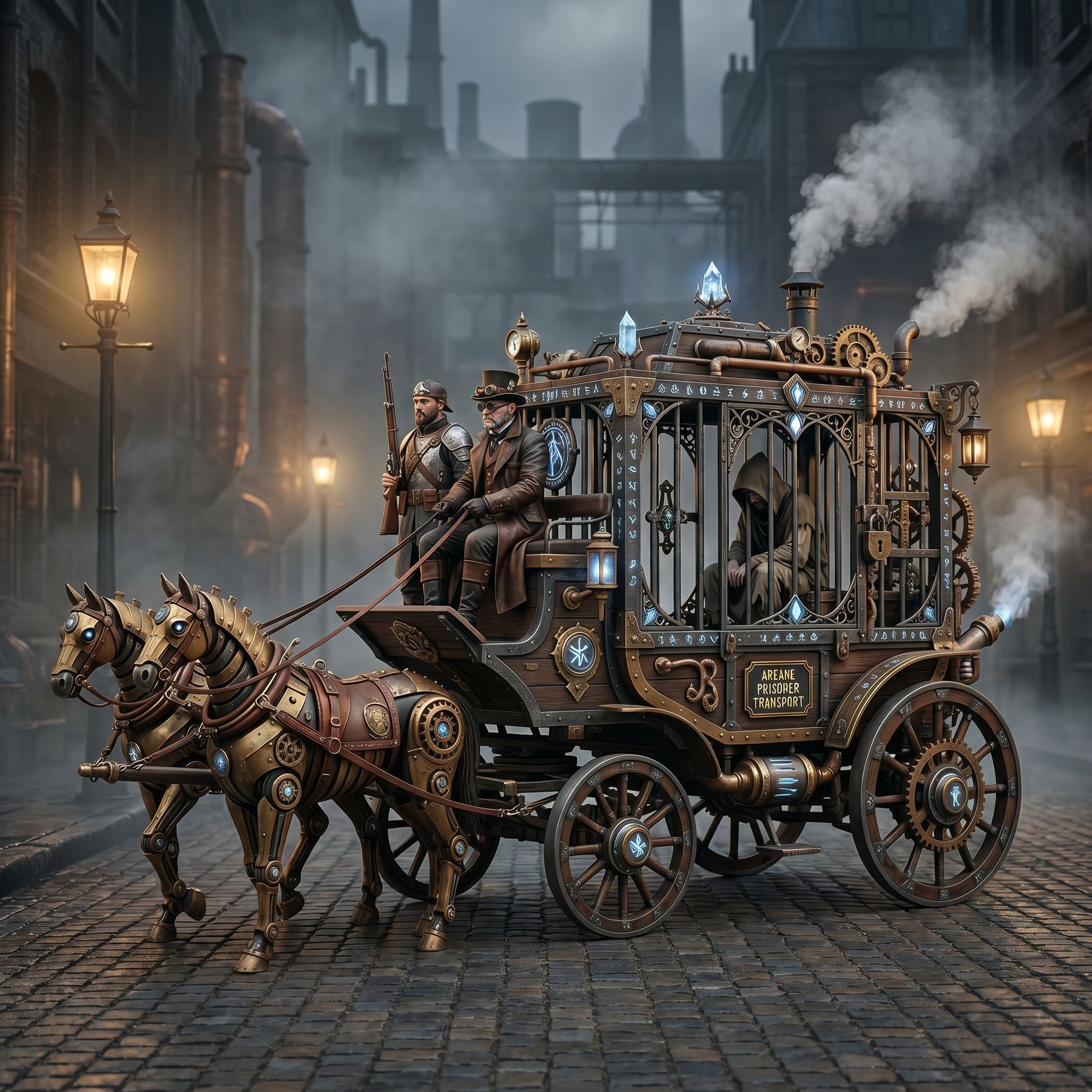
The Vibart community submission "Steampunk Horse Car" demonstrates how a single imaginative prompt can anchor an entire creative workflow. The creator began with a clear stylistic directive: convert the image into an Unreal Engine rendering style. This kind of targeted instruction is essential for AI image generation tools, because it narrows the output space and reduces the need for extensive post-generation edits.
For designers and ecommerce sellers, the lesson is simple: define the end-use case early. Whether the goal is a game asset, a product mockup, or an ad banner, stating the intended rendering engine or platform in the initial prompt helps the AI align textures, lighting, and proportions with production standards.
Crafting Prompts That Scale
Effective prompts for AI image generation should include three layers of detail: subject, style, and context. In the Steampunk Horse Car example, the subject is a mechanical horse-drawn carriage, the style is steampunk, and the context is Unreal Engine realism. Combining these elements gives the model enough information to generate coherent geometry and material properties.
Creators working on ecommerce product images can apply the same structure. For instance, a prompt might read: "a vintage leather handbag, photorealistic studio lighting, rendered in Cinema 4D with depth of field." This approach ensures that the generated image fits naturally into a product listing without requiring heavy retouching.
Reference-Guided Editing for Brand Consistency
One of the most powerful features of modern AI design canvases is reference-guided editing. After generating a base image, creators can upload additional reference photos or brand assets and use them to refine specific regions of the canvas. This is especially useful when maintaining color palettes, logo placement, or material finishes across a campaign.
In the Steampunk Horse Car workflow, the creator could have used reference images of brass gears or steam textures to enhance realism. Similarly, marketers producing ad creatives can lock in brand colors by referencing existing packaging or website screenshots during the editing phase.
Editable Canvas Layers for Iterative Design
Unlike traditional AI image generators that produce flat outputs, advanced creative workspaces offer editable canvas layers. Each element—background, foreground, lighting effects, text—can be adjusted independently. This layered approach mirrors the workflow of Photoshop but is powered by AI assistance.
For game designers, this means iterating on character designs or environment pieces without regenerating the entire scene. For ecommerce sellers, it allows quick A/B testing of product placements or background variants. The key is to treat the canvas as a living document rather than a static result.
Video Generation for Dynamic Ads
Once a still image reaches the desired quality, creators can extend the workflow into motion. AI video generation tools can animate elements like steam from the horse car’s exhaust or rotating gears, turning a single concept into a short looping ad.
Marketers should consider this transition when planning campaigns. A static product image can become a 5-second video ad with minimal effort if the underlying canvas supports animation controls. Typography overlays, crop variants, and branded transitions can then be added directly within the workspace.
Crop Variants and Production Exports
Final assets often need to fit multiple formats: square for Instagram, vertical for Stories, horizontal for banners. AI design canvases that support automatic crop variants save hours of manual resizing. Creators can generate a master composition and then export tailored versions for each platform.
When exporting, it’s important to choose production-ready settings. High-resolution PNGs for print, compressed JPEGs for web, and transparent backgrounds for overlay graphics ensure that assets integrate smoothly into downstream tools like Shopify, Canva, or Unreal Engine.
Conclusion
The Steampunk Horse Car community piece illustrates a complete AI creative workflow: from prompt to polished asset. By combining precise prompting, reference-guided editing, layered canvas controls, and smart export options, creators can move from inspiration to production without leaving their AI workspace. Whether building game environments, ecommerce visuals, or marketing campaigns, this workflow scales across use cases and platforms.
For teams looking for an AI design agent that supports these capabilities natively, exploring workspaces with integrated canvas layers, reference editing, and multi-format exports is a worthwhile investment.
Sources and further reading
The workflow and platform rules in this article are grounded in these primary references. Confirm current rules for your market and channel before publishing.
- Vibart community work: Steampunk Horse CarVibart community · 2026-04-27
Next step: make one asset with the same workflow
Do not stop at the comparison page. Upload a reference, generate a direction, then keep copy and brand elements editable on the canvas.