Comparing Lovart or AI design agents? Test the production workflow.
Generate with references, then finish headlines, logos, offer text, crops, and export-ready layouts in the Vibart canvas.
Introduction
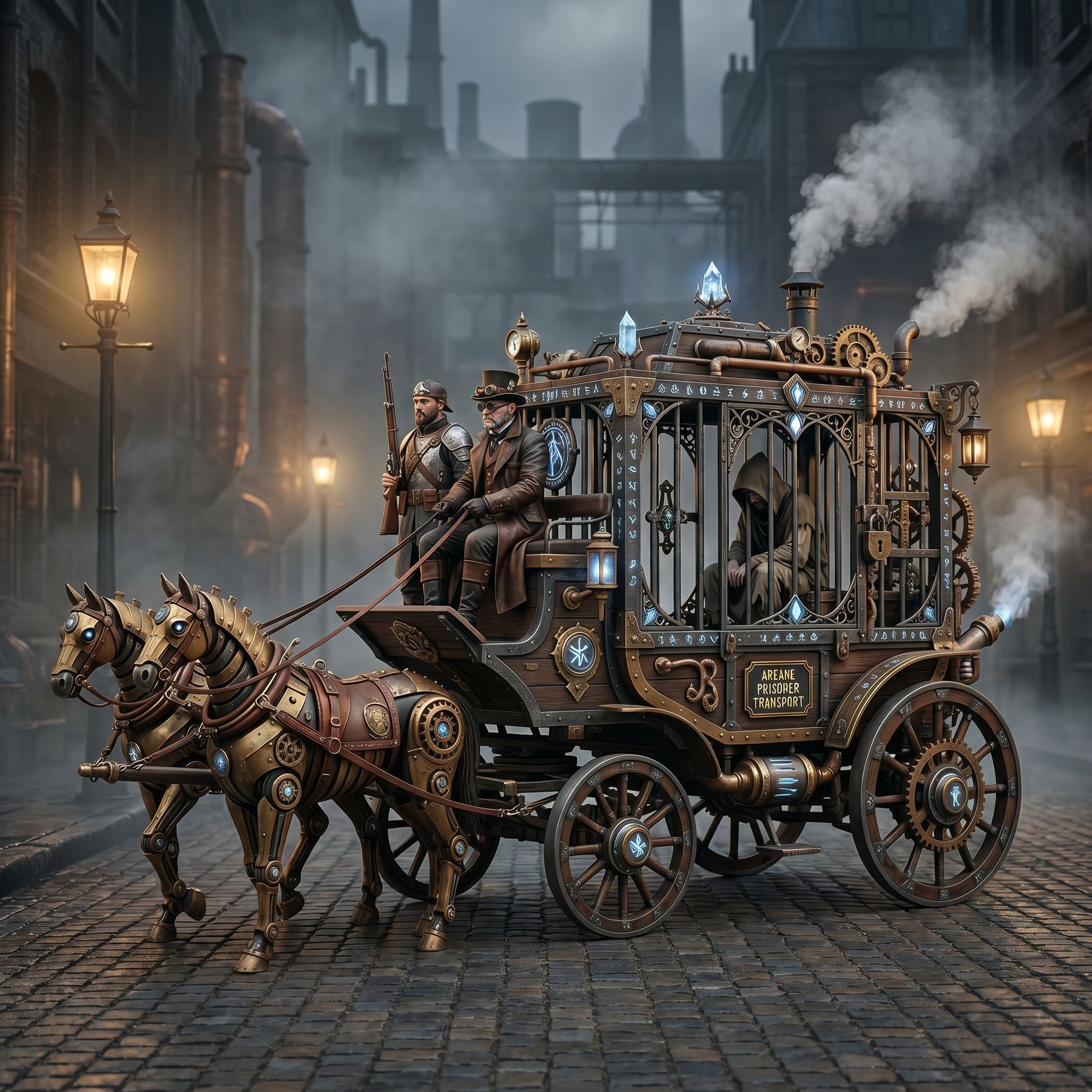
The Vibart community spotlight ‘Steampunk Horse Car’ (uploaded 2026‑04‑27) presents a detailed steampunk illustration that a creator wanted to re‑style as an Unreal Engine rendering. By examining the original image, the prompt, and the desired outcome, we can extract a practical workflow that any designer, marketer, or ecommerce seller can follow using Vibart’s AI creative workspace.
Understanding the Visual Direction
The source image features metallic textures, riveted plates, leather harnesses, and a vintage locomotive aesthetic. The goal is to shift this look toward the high‑detail, physically based rendering style typical of Unreal Engine: realistic lighting, PBR materials, and cinematic depth. Recognizing which elements to keep (overall silhouette, mechanical details) and which to replace (surface shaders, lighting) is the first step in planning the edit.
Crafting the Prompt
The community note provides a concise Chinese prompt: 把这个风格转换成 unreal engine 渲染的风格 (Convert this style into Unreal Engine rendering style). In Vibart, you can paste this prompt into the image generation bar while attaching the original image as a reference. The model will interpret the directive to preserve composition while swapping materials and lighting for a game‑engine look.
Using Reference‑Guided Editing
Vibart’s reference‑guided editing lets you lock the original layout and steer the AI toward new material properties. Upload the Steampunk Horse Car image, enable reference mode, and adjust the influence slider to keep the core shape. Then, add descriptive keywords such as “PBR metal”, “realistic lighting”, “cinematic depth”, and “Unreal Engine render”. The AI will generate a new version that respects the original pose but replaces steampunk wear with engine‑grade surfaces.
Layer‑Based Canvas Workflow
Once the base render is generated, Vibart’s editable canvas lets you split the image into layers: background, horse chassis, harness, and ground. You can independently tweak each layer—for example, increase roughness on the metal plates or add a subtle emissive glow to the harness. This layer control mirrors the way game artists work in Unreal’s Material Editor, letting you iterate without re‑running the full generation.
Typography and Branding Touch‑Ups
If the final asset will be used in marketing or ecommerce, Vibart’s typography control lets you overlay product titles, taglines, or price badges directly on the canvas. Choose a font that matches the industrial theme, adjust kerning, and place the text on a separate layer so it remains editable for A/B testing.
Creating Crop Variants
Different platforms require different aspect ratios. Using Vibart’s crop variant tool, you can generate square, portrait, and landscape cuts from the same master canvas without losing resolution. Each variant inherits the layer adjustments, ensuring consistent lighting and material quality across Instagram ads, Amazon listings, and banner ads.
Exporting Production‑Ready Assets
When the design is final, Vibart offers production‑ready exports in PNG (lossless), JPEG (web‑optimized), and PSD (layered) formats. For video ads, you can export a short turntable rotation by animating the canvas layers and rendering to MP4. These outputs are ready for direct upload to ad platforms or product pages.
Applying the Workflow to Ecommerce & Marketing
The same process works for product images: start with a reference photo of a item, use reference‑guided editing to apply a consistent studio lighting style, add branding layers, create crop variants for social feeds and marketplace thumbnails, and export in the required format. By keeping the workflow inside Vibart, you maintain version control and reduce the need to jump between multiple tools.
Conclusion
The Steampunk Horse Car spotlight shows how a simple style‑change prompt can become a full‑featured creative pipeline when paired with Vibart’s reference editing, layered canvas, typography controls, crop variants, and export options. Creators can learn to deconstruct a visual goal, translate it into an AI‑friendly prompt, and iteratively refine the result using layer‑based adjustments—all within a single workspace that supports image, video, and ecommerce‑focused assets.
Sources and further reading
The workflow and platform rules in this article are grounded in these primary references. Confirm current rules for your market and channel before publishing.
- Vibart community work: Steampunk Horse CarVibart community · 2026-04-27
Next step: make one asset with the same workflow
Do not stop at the comparison page. Upload a reference, generate a direction, then keep copy and brand elements editable on the canvas.