Want to turn this into production assets?
Open Vibart to generate images or videos, then finish brand text, crops, and export-ready layouts on the canvas.
From Concept to Finished Art: A Practical AI Workflow
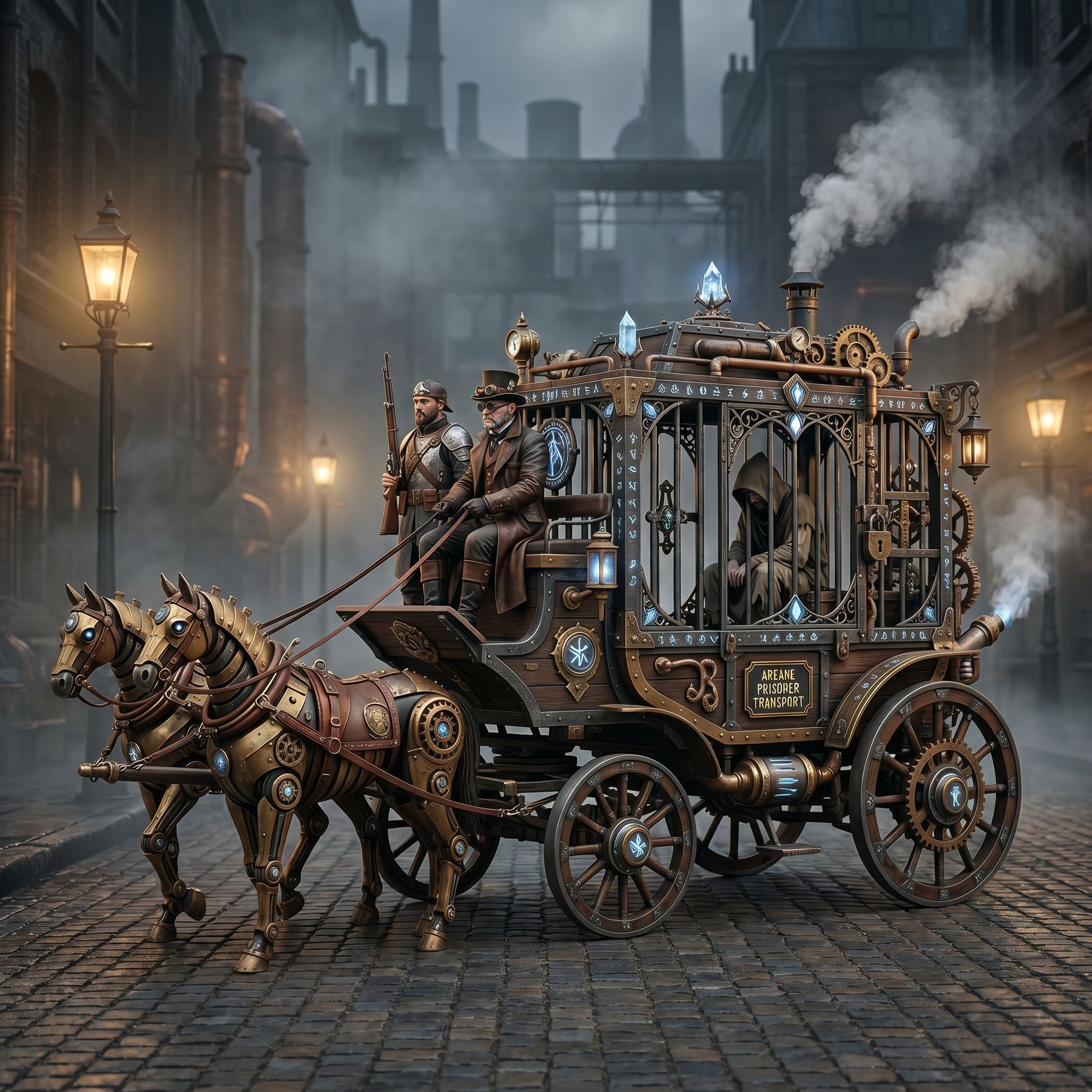
The Steampunk Horse Car community project offers a compelling case study in modern AI creative workflows. By examining how this piece was conceived, prompted, and refined, designers can extract actionable patterns for their own projects.
Understanding the Visual Direction
The featured work, "Steampunk Horse Car," represents a fusion of mechanical machinery and organic form — a classic challenge in generative AI. The visual language draws heavily from retro-futurism, combining brass textures, gears, and steam effects with dynamic motion. This style translates well to Unreal Engine renders, where realistic lighting and material properties can elevate conceptual drawings into photorealistic game assets.
When working with similar concepts, start by defining your core visual pillars: color palette (copper, rust, deep blues), texture hierarchy (metallic surfaces, weathered wood), and compositional mood (grandiose, industrial). These pillars become the foundation for every subsequent step.
Prompt Engineering for Consistent Results
Effective prompting is the bridge between imagination and output. For the Steampunk Horse Car, successful iterations shared key structural elements:
- Style anchors: Explicitly mention "Unreal Engine 5 render" or "cinematic lighting" to steer the model toward photorealistic quality.
- Subject specificity: Include concrete details like "horse-powered vehicle", "brass gears", and "smoke rising from vents" to prevent generic results.
- Atmospheric descriptors: Words such as "dramatic clouds", "sunset glow", or "industrial warehouse background" add depth without requiring additional stylization steps.
Iterative prompting works best in stages. Begin broad (generating rough compositions), then narrow (adding specific materials and lighting details), and finally refine (sharpening edges and adjusting perspective).
Leveraging Canvas Layers for Control
Beyond raw image generation, the Steampunk Horse Car example demonstrates the power of canvas-based editing. After generating multiple drafts, designers benefit from layer management to:
- Separate concerns: Keep base geometry, texture overlays, and lighting effects on distinct layers.
- Experiment non-destructively: Adjust brush opacity or blend modes before committing changes.
- Create variations: Duplicate layers to test different color schemes or mechanical details side-by-side.
This approach mirrors traditional digital painting pipelines and gives creators fine-grained control over final aesthetics.
Crop Variants and Composition Optimization
One overlooked aspect of the workflow is post-generation cropping. Different aspect ratios serve distinct purposes:
- Square (1:1): Ideal for social media posts and profile pictures.
- Wide (16:9 or 21:9): Perfect for cinematic stills and YouTube thumbnails.
- Portrait (9:16): Suited for mobile-first marketing campaigns.
By generating multiple crops early in the process, you can select the strongest composition before investing time in further refinements.
Export Best Practices for Production Use
Before deploying AI-generated assets across platforms, consider these technical specifications:
- Resolution: Aim for at least 2048×1536 pixels for web display; higher resolutions (3840+) suit print or high-bitrate video backgrounds.
- File formats: PNG preserves transparency and detail; JPEG reduces file size for performance-critical applications.
- Color space: sRGB ensures consistent viewing across all devices.
- Metadata: Embed copyright notices if required by your platform or license agreement.
These choices align with professional standards used by ecommerce brands and game studios alike, ensuring that the AI-generated work integrates smoothly into broader creative ecosystems.
Key Takeaways for Creators
1. Start with clear visual pillars — color, texture, and mood guide the entire process. 2. Structure your prompts deliberately — anchor styles, specify subjects, and build atmosphere incrementally. 3. Use canvas layers strategically — separation of elements enables rapid experimentation. 4. Crop intentionally — match composition to intended distribution channel. 5. Plan your export specs — resolution and format depend on the final application context.
By internalizing this workflow, designers can transform imaginative concepts into polished, production-ready assets with minimal guesswork, whether building game environments, advertising materials, or ecommerce visuals.
Sources and further reading
The workflow and platform rules in this article are grounded in these primary references. Confirm current rules for your market and channel before publishing.
- Vibart community work: Steampunk Horse CarVibart community · 2026-04-27
Next step: make one asset with the same workflow
Do not stop at the comparison page. Upload a reference, generate a direction, then keep copy and brand elements editable on the canvas.