Comparing Lovart or AI design agents? Test the production workflow.
Generate with references, then finish headlines, logos, offer text, crops, and export-ready layouts in the Vibart canvas.
Understanding the Community Prompt
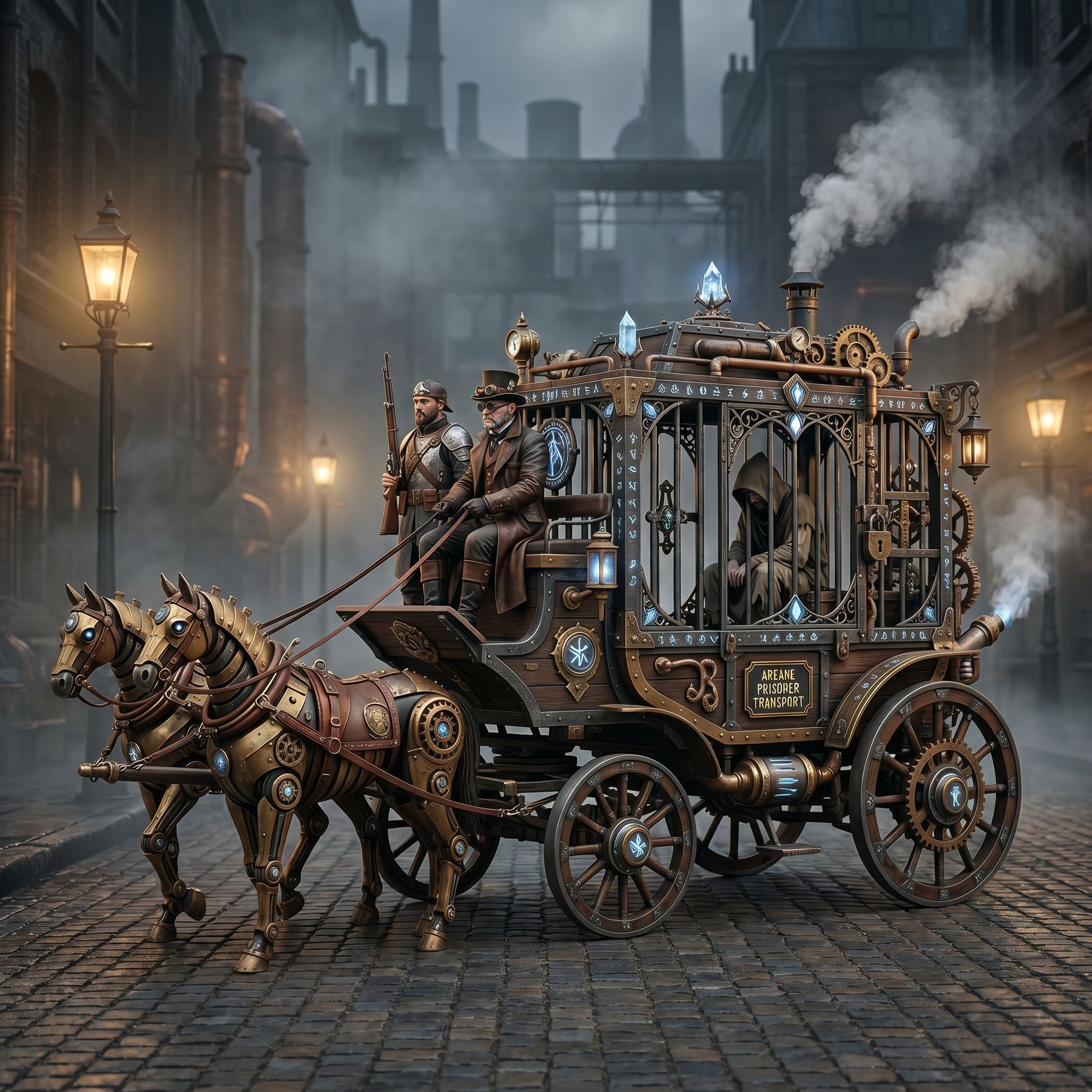
The Vibart community shared a workflow spotlight titled Steampunk Horse Car on April 27 2026. The post includes a reference image of a steampunk‑styled horse‑drawn carriage and a prompt that asks the AI to convert this style into Unreal Engine rendering style. This clear visual direction shows how a designer can guide an AI model to produce a specific aesthetic, turning a concept into a game‑ready asset.
Step‑by‑Step Workflow in Vibart
1. Upload the reference image – Drag the steampunk horse car picture into Vibart’s editable canvas. The image serves as the visual anchor for the AI generation. 2. Enter the prompt – Use the community prompt to tell the AI the desired rendering style. Vibart’s image generation engine interprets the text and creates a base composition that matches the Unreal Engine look. 3. Refine with canvas layers – Vibart’s canvas supports multiple layers. Separate the horse, carriage, background, and lighting onto individual layers. This non‑destructive approach lets you adjust each element without affecting the whole composition. 4. Apply brand‑consistent tweaks – Use Vibart’s typography control to add product names or taglines, and employ crop variants to fit different ad placements. The platform also offers tools for color correction and texture painting, ensuring the final asset aligns with your brand guidelines. 5. Generate variations – Create several crop versions or style tweaks directly from the same canvas, allowing quick testing for ecommerce listings or marketing creatives.
Leveraging Vibart’s Editable Canvas Layers
Because the workflow is built on layers, you can iterate rapidly. If the horse’s steam pipes need more detail, edit just that layer. If the background requires a different lighting mood, adjust the lighting layer. This flexibility mirrors traditional design tools while adding AI‑driven generation speed.
From Canvas to Production‑Ready Export
When the composition meets your standards, Vibart provides production‑ready exports. Choose high‑resolution PNG for static product images, or export short video clips for ad campaigns. The platform automatically optimizes file size and format for web use, ensuring that the asset is ready for immediate deployment in ecommerce platforms or digital marketing channels.
Key Takeaways for Designers and Marketers
- Clear prompts that reference a specific visual style accelerate AI generation.
- Reference images act as a grounding point, helping the model stay on target.
- Layered canvas editing enables precise, non‑destructive adjustments, essential for maintaining brand consistency.
- Built‑in typography and crop tools streamline the creation of marketing assets without leaving the workflow.
- One‑click production exports save time, letting you move from concept to market faster.
By following this workflow, designers can turn a community‑shared concept into polished, market‑ready visuals using Vibart’s AI creative workspace.
Sources and further reading
The workflow and platform rules in this article are grounded in these primary references. Confirm current rules for your market and channel before publishing.
- Vibart community work: Steampunk Horse CarVibart community · 2026-04-27
Next step: make one asset with the same workflow
Do not stop at the comparison page. Upload a reference, generate a direction, then keep copy and brand elements editable on the canvas.