Comparing Lovart or AI design agents? Test the production workflow.
Generate with references, then finish headlines, logos, offer text, crops, and export-ready layouts in the Vibart canvas.
Understanding the Community Vision
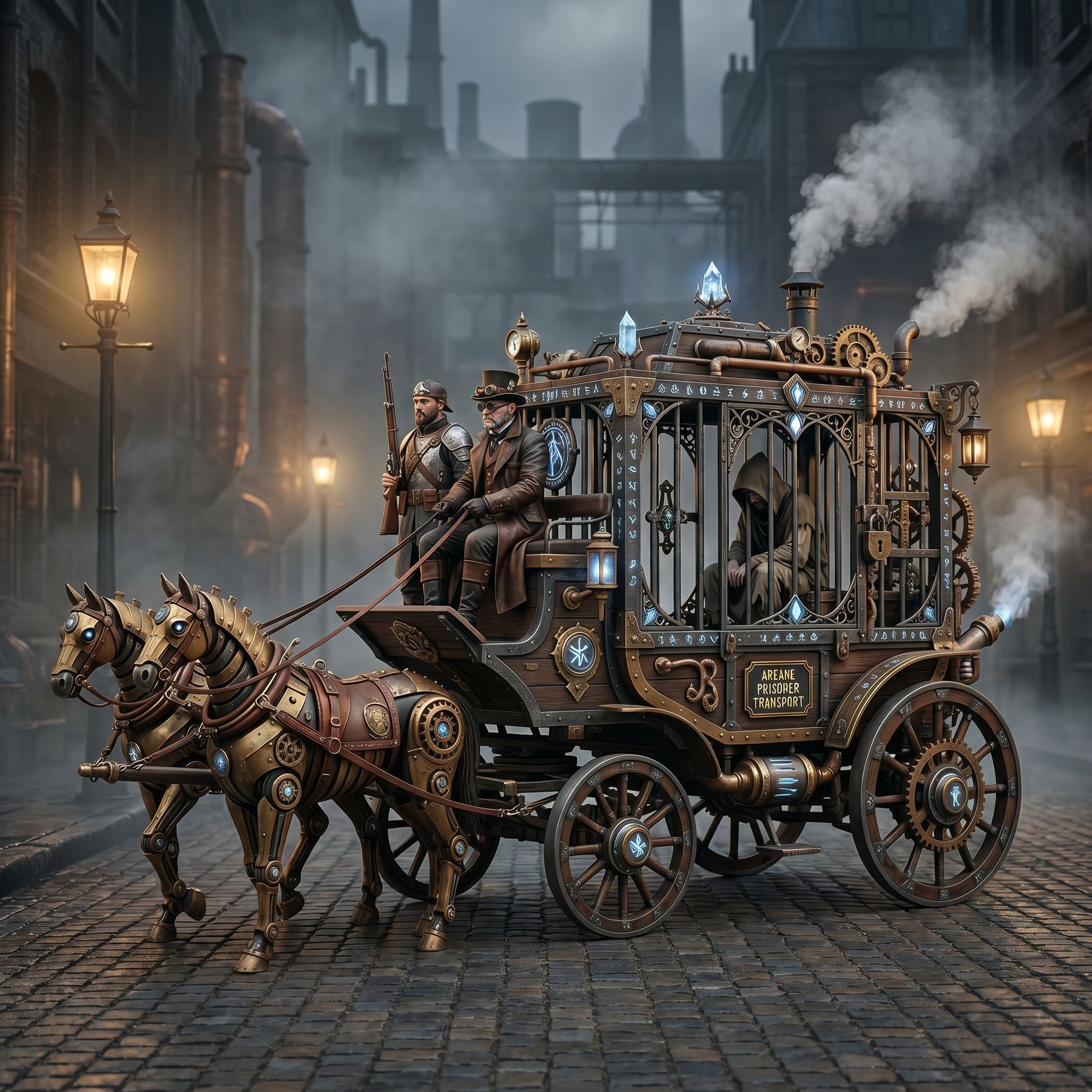
The Vibart community’s Steampunk Horse Car (2026‑04‑27) showcases a detailed, retro‑futuristic vehicle rendered as a single‑frame image. Created under the prompt "把这个风格转换成 unreal engine 渲染的风格" (Convert this style to an Unreal Engine rendering style), the piece serves as a concrete example of how AI image generation can capture a specific visual aesthetic. Designers and creators can study the composition, lighting, and material cues present in the final image to infer the underlying artistic intent. The community work demonstrates that even a single‑image output can contain enough detail to guide downstream tasks such as texture baking, asset rigging, and environment integration.
Prompt Engineering for Unreal Engine Style
The core of this workflow lies in the prompt that directs the AI toward a target rendering engine. By explicitly requesting an "Unreal Engine rendering style," creators signal the desired level of realism, dynamic lighting, and material complexity. When drafting prompts for similar projects, include references to engine‑specific features such as high‑dynamic‑range lighting, physically based shading, and post‑process effects. The Vibart community example shows that adding style qualifiers—like "steampunk aesthetic," "metallic textures," and "dynamic shadows"—helps the AI align with the technical expectations of Unreal Engine pipelines. This approach can be reused for other game assets, from characters to environmental props.
Leveraging Vibart's Canvas for Game Design
Vibart’s canvas‑based production design environment allows creators to import the generated image and layer additional editable elements. The Steampunk Horse Car workflow illustrates how the image can serve as a reference layer while designers add parametric controls for wheel radius, carriage details, or weathering effects. The canvas supports non‑destructive editing, enabling rapid iteration without losing the original AI‑generated base. For game designers, this means faster prototyping cycles: the initial AI output provides a polished visual foundation, and the canvas lets you adjust geometry, UV maps, and animation rigs directly within the same workspace.
Applying Reference Editing for Brand Consistency
Reference editing is crucial when the same visual language must appear across multiple assets, such as an ecommerce product line or a marketing campaign. The community piece demonstrates how a single style guide—encoded in the original prompt—can be propagated through Vibart’s reference‑guided editing tools. By linking new generation tasks to the Steampunk Horse Car as a reference image, creators ensure consistent color grading, material behavior, and lighting conditions. This method is especially valuable for brands that need cohesive imagery across product photography, video ads, and interactive experiences.
Exporting Production‑Ready Assets
Once the canvas iterations are finalized, Vibart supports export pipelines that feed directly into game engines and video production workflows. The workflow spotlight highlights the ability to output high‑resolution textures, material definition files (MDL), and animation clips in formats compatible with Unreal Engine. Additionally, the platform can generate video variants for advertising, preserving the steampunk aesthetic while adapting to different aspect ratios and frame rates. The export stage ensures that the creative effort translates smoothly from AI generation to final product deployment.
By following the steps outlined in the Steampunk Horse Car community example, creators can adopt a repeatable AI creative workflow that blends prompt engineering, canvas‑based editing, reference consistency, and production‑ready export. This approach positions Vibart as a practical alternative for teams seeking an integrated AI design canvas, especially when comparing solutions like Lovart for ecommerce creatives or exploring broader AI design agent alternatives.
Sources and further reading
The workflow and platform rules in this article are grounded in these primary references. Confirm current rules for your market and channel before publishing.
- Vibart community work: Steampunk Horse CarVibart community · 2026-04-27
Next step: make one asset with the same workflow
Do not stop at the comparison page. Upload a reference, generate a direction, then keep copy and brand elements editable on the canvas.