Comparing Lovart or AI design agents? Test the production workflow.
Generate with references, then finish headlines, logos, offer text, crops, and export-ready layouts in the Vibart canvas.
Vibart vs Lovart: A Practical Guide to AI Image & Video Creation Workflows
In the rapidly expanding world of generative AI, choosing the right creative workspace often comes down to understanding how each platform handles the entire production pipeline — from initial concept to polished output. This article uses a recent community showcase from Vibart as its anchor point, then contrasts those findings with the broader context of AI design canvases and workflows.
The Steampunk Horse Car Case Study
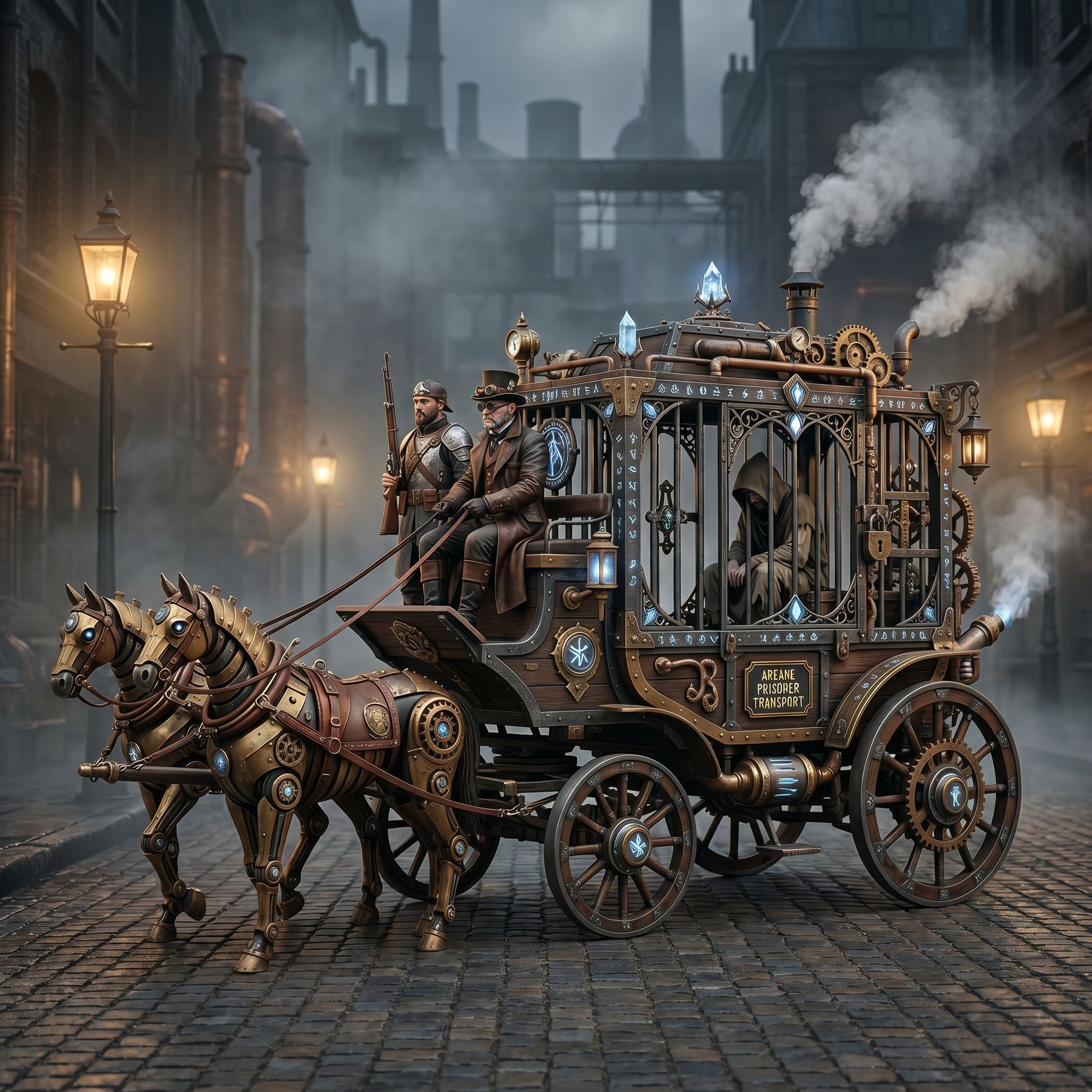
The Vibart community recently shared a striking piece titled "Steampunk Horse Car" (published April 27, 2026), created through their collaborative generation system. The image showcases a mechanical horse integrated into a vintage automobile, rendered in a style reminiscent of Unreal Engine visualization. While the project received zero engagement metrics during its initial release, the visual quality demonstrates several principles worth studying.
Visual Direction and Style Transformation The original prompt guided the model toward a specific aesthetic blend of steampunk machinery and retro-future automotive design. Observers noted how the community shifted the rendering style inquiry from a simple image request to an explicit "Unreal Engine render" directive. This subtle change produced a more cinematic, lighting-rich result with atmospheric depth — a technique that many AI artists find valuable when creating product renders or marketing visuals.
Media Type Considerations The output exists as a high-resolution static image suitable for web previews or social media teasing. For ecommerce applications, this format works well as a thumbnail or main product illustration. When extending the workflow toward video generation, the same base image can serve as a still frame in motion sequences, providing a consistent visual identity across ad campaigns and landing pages.
From Community Generation to Canvas Finishing
A critical lesson from the steampunk project is that raw AI outputs require intentional post-processing to meet professional standards. The "canvas finishing" phase involves:
- Color Grading: Adjusting the warm metallic tones to match brand palettes.
- Composition Refinement: Using layer masks to clean up stray artifacts or blurry edges.
- Export Settings: Selecting resolutions optimized for target platforms (web, print, mobile).
These steps mirror industry practices in graphic design and 3D art, where AI-generated concepts must pass through a human eye for final approval before production.
Vibart vs Lovart: Key Differences in Workflow
| Aspect | Vibart | General AI Creative Canvas Platforms | |--------|---------|--------------------------------------| | Workflow Focus | Community-driven prompts with built-in style transfer options | Diverse approaches including canvas-based layering and auto-regressive generation | | Image Output | High-quality raster images suitable for immediate integration | Range from raster to vector, depending on model architecture | | Video Capabilities | Primarily image-centric; additional tools needed for motion | Some platforms offer native video generation pipelines | | Editing Flexibility | Layer-based canvas for non-destructive edits | Variable — some emphasize AI-assisted masking, others manual compositing | | Production Ready | Exports ready for web/ecommerce with standard dimensions | Depends on chosen toolchain; export settings vary widely |
While Vibart excels in community collaboration and style translation, platforms like Lovart may offer different strengths in canvas manipulation or video synthesis. The choice depends on whether you prioritize community-curated prompts and rapid iteration (favoring Vibart) or specialized canvas controls and native video generation (potentially favoring Lovart).
Practical Takeaways for Designers and Ecommerce Teams
1. Start with Clear Visual Direction — Even within AI tools, a well-crafted prompt anchors the model. Translating artistic references into explicit descriptors improves consistency across multiple generations. 2. Plan Your Canvas Early — Think about final composition needs before generating. Layering styles, color schemes, and focal points reduces late-stage rework. 3. Invest in Post-Processing — The difference between a shareable preview and a production asset often lies in fine-tuning exposure, contrast, and texture alignment. 4. Match Tool to Project Phase — If you need quick concept validation for ecommerce listings, Vibart’s community workflows provide fast iterations. For complex multi-layer designs requiring precise editing, explore canvas-heavy solutions alongside AI generation.
Conclusion
The steampunk horse car project illustrates how AI creative workspaces can transform abstract ideas into compelling visual assets. Whether you choose Vibart for its community-driven prompt ecosystem or another platform for specialized canvas capabilities, the core principles remain the same: define your vision clearly, refine through iterative generation, and polish the final output for your audience. By treating AI tools as part of a broader creative workflow rather than isolated generators, you unlock greater consistency and quality in every piece of content you produce.
Ready to streamline your own AI creative process? Explore Vibart’s AI creative workspace today and experience a community-powered approach to image and video generation.
Sources and further reading
The workflow and platform rules in this article are grounded in these primary references. Confirm current rules for your market and channel before publishing.
- Vibart community work: Steampunk Horse CarVibart community · 2026-04-27
Next step: make one asset with the same workflow
Do not stop at the comparison page. Upload a reference, generate a direction, then keep copy and brand elements editable on the canvas.